Archive for Office 2010

How to Save Office 2010 Files Directly to SkyDrive

by Apr 09, 2010

Wouldn’t you like to be able to access all of your Word Documents, Presentations, Spreadsheets, and even your Notes on the Go? Well, if you use Office 2010 and your Windows Live SkyDrive you’ll have your files securely stored online so that you can access them from anywhere. Gone are the days of additional plug-ins…Continue Reading

How to Change the Color Scheme for Office 2010 Applications

by Apr 09, 2010

If you really want to differentiate yourself from others who use the default color scheme in Office 2010 applications, then read on. Office 2010 (beta) ships with three color schemes to help customize the look of all Office 2010 applications. To change the color schemes on your Office 2010 installation, follow the instructions below. Note:…Continue Reading

How to Change the Default Email Format in Outlook 2010

by Apr 09, 2010

How many times have you started writing a new email message in Outlook and tried to insert a link and couldn’t? Chances are that your default email format is Rich Text or Plain Text. In either case HTML code cannot be used when composing your message. If you wish to use HTML code in your…Continue Reading

How to Modify the Default Outlook 2010 Start Folder

by Apr 09, 2010

If you use IMAP email accounts in Outlook you will soon find that all of your messages will be stored in a separate folder (see example below) and accessing the IMAP Inbox will require that you find and select the folder in order to view the emails within. This can be remedied by using the…Continue Reading

How to Create a New Office File Using SkyDrive

by Apr 09, 2010

Pretty soon everyone with a SkyDrive account will be able to create and edit Excel spreadsheets, Word Documents, PowerPoint Presentations, and even their OneNote notes online. So…how exactly do you create these files using SkyDrive? Well, follow the instructions below. Before we get started, you first need to have a SkyDrive account, which you can…Continue Reading

How to Quickly Add Contacts from Emails in Outlook 2010

by Apr 09, 2010

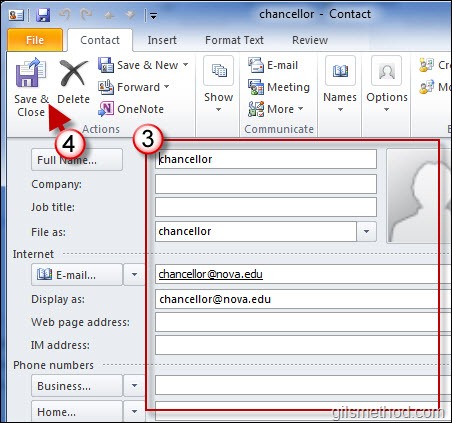
How many times have you gone back and forth between an email message and your contact list to add a new contact? Fortunately there’s an easier way to add contacts from an email message. Outlook allows users to create new contacts from an open email message by right-clicking on the users name in the From:…Continue Reading

Feature: The Complete Guide to Using Sections in PowerPoint 2010

by Apr 09, 2010

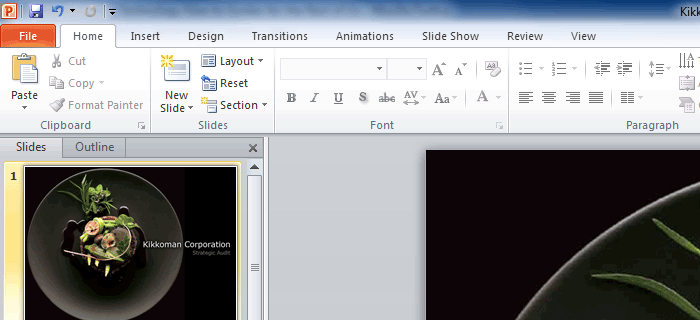
How many times have you worked on group presentation and found yourself lost? I know I have, specially when several team members are working on it and presenting together. In PowerPoint 2010 you can pretty much say goodbye to that problem. The Office team at Microsoft has introduced a feature in PowerPoint 2010 that allows…Continue Reading

How to Create Subprocesses from a Selection in Visio 2010

by Apr 09, 2010

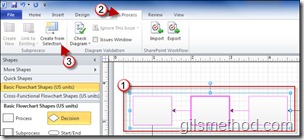
If you have ever worked on a Six Sigma project you know that the most important step is the documentation of the entire process in question. At times this can be a time consuming and if you’re not careful can become a sort of controlled chaos of process maps upon process maps. In Visio 2010,…Continue Reading

Buy Office 2007 Now and Upgrade to Office 2010 for Free!

by Mar 05, 2010

As Office 2010 draws closer to completion, Microsoft has assailed any fears for those purchasing Office 2007 before the official release of 2010 by announcing the Technology Guarantee Program. The program is designed to let customers who purchase qualifying version of Office 2007 to receive a free download of Office 2010 when it becomes available…Continue Reading