Google Chrome is a powerhouse for apps and extensions and is used by a wide variety of people. A lot of people also have many tabs and apps open at the same time, which can be cumbersome if you’re trying to switch between them. If apps and extension tabs fill up your browsers’ window, then you’ll really enjoy the new background feature for Chrome.
The new background feature allows you to run apps in the background, thus removing the tab you’re your browser, but yet still running the app or extension. The app will even if all Chrome windows are closed. The apps will continue to run in the background until you exit Chrome. This new feature allows you to use multiple apps and extensions without having the tabs open.
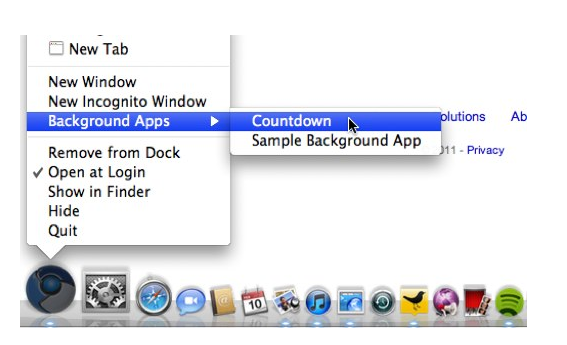
A simple right click will bring up the Background Apps menu, allowing you to quickly access your background apps. After you exit Chrome, any running background apps will be remembered and start-up with Chrome when it’s launched again.
What sort of apps and extensions can I use with the new background feature? You can use apps that use notifications or alerts such as a chat request or even an email alert. The possibilities are endless for developers who want to use this new background feature.