See More About: , , , ,

How to Change the Font Size on the iPad

by

If you are having a hard time reading emails, calendar entries and notes on the iPad, you may want to consider increasing the font size on your iPad to make reading a bit easier on the eyes. Unfortunately the change in font size is limited to text found in email messages, calendar entries and your contacts list. Other applications may have font size options, but those need to be accessed via the specific application in question. In this guide I will show you how to increase the font size on your iPad.

Software/Hardware used: iPad 2 running iOS 4.3.

how to change font size ipad 1 How to Change the Font Size on the iPad

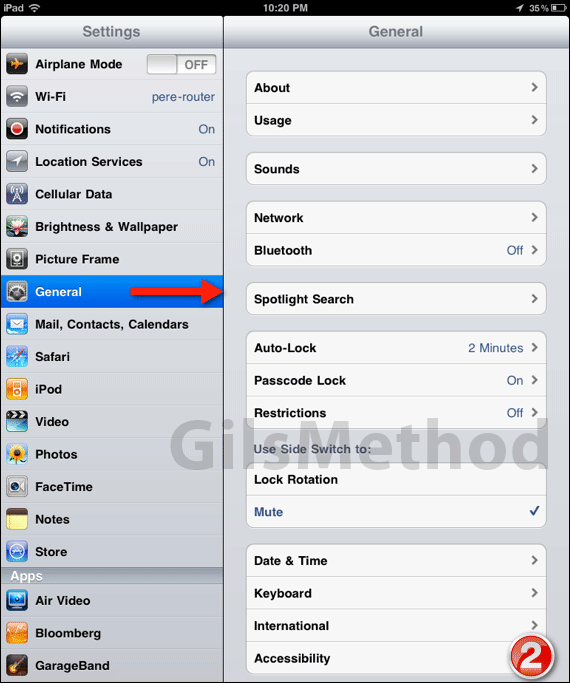
1. Tap Settings on the Home screen.

how to change font size ipad 2 How to Change the Font Size on the iPad

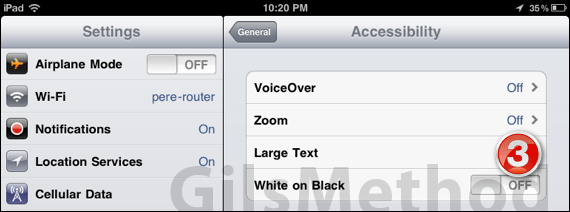
2. Tap General then Accessibility.

how to change font size ipad 3 How to Change the Font Size on the iPad

3. In Accessibility, tap Large Text.

how to change font size ipad 41 How to Change the Font Size on the iPad

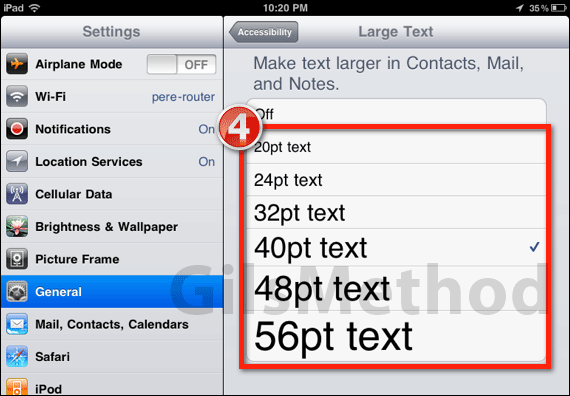
4. Tap on the text size you wish to use and press the Home button.
how to change font size ipad 6 How to Change the Font Size on the iPad

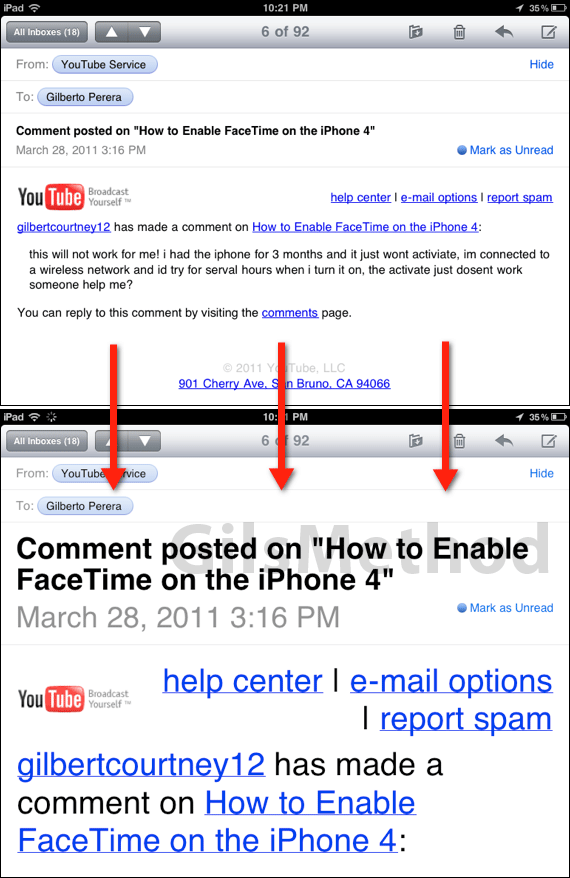
Next time you open an email message, a contact, note, or calendar entry you will notice that the content for each of these items will appear in the text size you selected. If you have any comments or questions please use the comments form below.


 

See More About: , , , ,
Originally posted Mar 30, 2011

We close comments after 30 days on GilsMethod.com and ask that you post questions and issues on our Answers website.

This helps us better serve you by allowing us to keep track of unanswered questions that are usually hidden in long comment threads.

Answers.GilsMethod.com is a community-powered support website where you will be able to post questions, and other users including us will respond with expert advice.

So if you are having trouble with your PC, Mac, iPad, iPhone, or other piece of technology, head over to Answers.GilsMethod.com and ask away.