
Have you ever tried to join a school’s wireless network and were asked to provide your laptop’s MAC address for validation? If so, this easy to follow guide will show where you can find your computer’s MAC address in Windows XP.
So why a MAC address? MAC addresses are like ‘serial’ numbers that are unique to all networking devices, for example, if you r laptop has a Bluetooth radio, a wireless adapter, and an Ethernet adapter, you notebook has 3 different MAC addresses! This is why it’s important to follow the instructions below to make sure that you use the correct MAC address when it is requested.
If you have any comments or questions, please post them below.
Note: I used Windows XP for this tutorial.
Locate Your Computer’s MAC Address in Windows XP
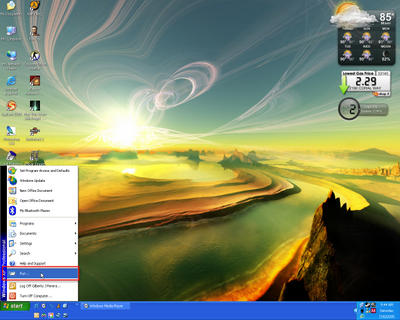
1. Click on the Start button to open the Start Menu. Click on Run.

2. Type cmd in the Run text box, click OK. This will open the Windows Command Prompt window.
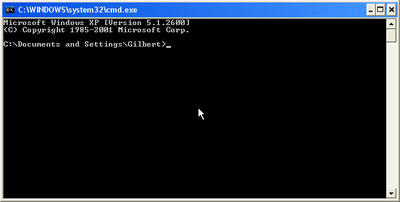
The Command Prompt window.

3. With the Command Prompt window selected, type the following command:
ipconfig /all
This command will open the IP configuration screen and the /all switch tells the command to display all networking devices.
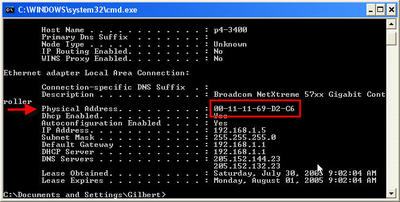
4. When the command runs, you should see all of your network devices listed and the details of each device. Locate the device whose MAC address you are inquiring about and look for the Physical Address parameter, this is your device’s MAC address.


