See More About: , , , ,

How-to Send Calendar Invitations with Your iPhone

by

It’s the simple things that Apple can’t seem to include with their products. Who would ever want to send an invitation to someone else using their iPhone? Apparently Apple thinks that +20 million people don’t need that functionality. Thankfully, there’s always a solution to every problem. This will only work if you use Google Calendar and sync your calendar to your iPhone…I’m sure you can accomplish this with other services, but I’m going to cover Google because it’s the service I use for my Calendar.

Before proceeding with this tutorial, make sure you meet the following requirements:

  • You have a Google Calendar account.
  • The Google Calendar account is synchronized to your iPhone.

If you need help with the latter, post it in the comments below and I will walk you through the process.

Note: I used an iPhone 3GS for this tutorial.
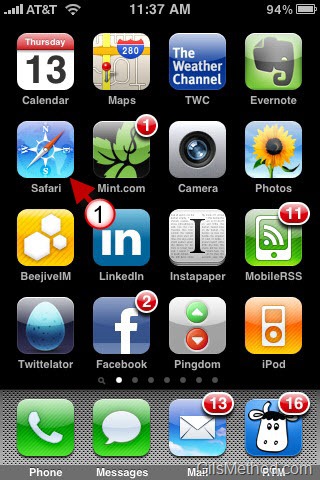
photo thumb1 How to Send Calendar Invitations with Your iPhone

1. Tap on Safari to open the browser.
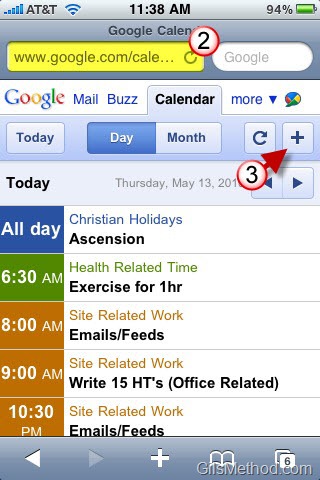
photo2 thumb1 How to Send Calendar Invitations with Your iPhone

2. Go to google.com/calendar and log in to your Calendar account.

Note: You will automatically be redirected to the mobile site optimized for the iPhone.

3. Add a new event/meeting by tapping on the [+] sign located on the top right corner.

photo22 thumb How to Send Calendar Invitations with Your iPhone

4. Enter the meeting information.

photo4 thumb1 How to Send Calendar Invitations with Your iPhone

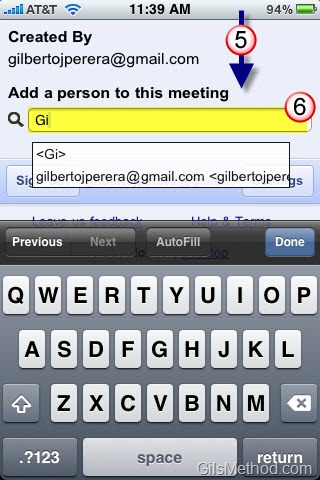
5. Scroll to the bottom of the page.

6. Invite others to the meeting by entering their email addresses.
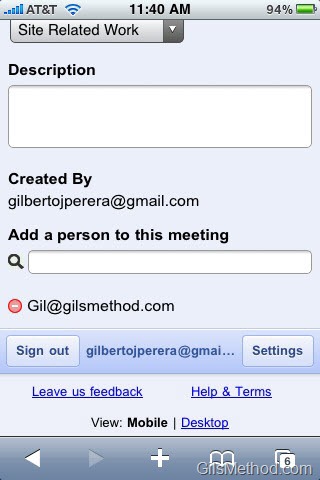
photo2 thumb2 How to Send Calendar Invitations with Your iPhone

When added they will appear in the invitee list.

photo3 thumb1 How to Send Calendar Invitations with Your iPhone

7. Scroll back up and tap on the Save button to send the invitation.
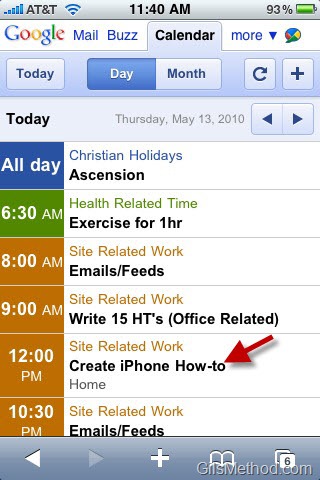
photo52 thumb How to Send Calendar Invitations with Your iPhone

You will find the meeting in the Google Calendar list.
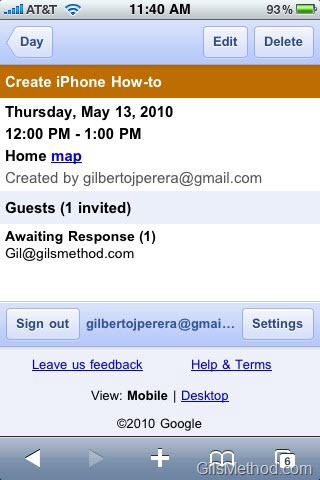
photo42 thumb How to Send Calendar Invitations with Your iPhone

If you click on the event you will see a list of Guests and their response to the meeting request.

photo3 thumb2 How to Send Calendar Invitations with Your iPhone

When you open the Calendar App on the iPhone, the appointment/meeting you just created should appear.

Note: Depending on the frequency at which the iPhone synchronizes you may have to wait a couple of minutes before the calendar entry appears.
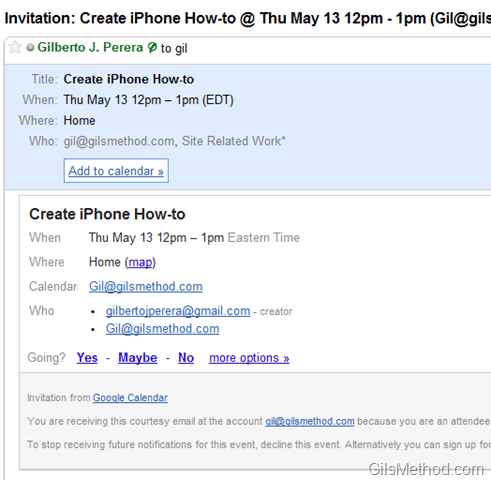
sendmeetinginvitationswithiphone thumb How to Send Calendar Invitations with Your iPhone

Example of email invitation sent to guests.

Originally posted May 13, 2010

We close comments after 30 days on GilsMethod.com and ask that you post questions and issues on our Answers website.

This helps us better serve you by allowing us to keep track of unanswered questions that are usually hidden in long comment threads.

Answers.GilsMethod.com is a community-powered support website where you will be able to post questions, and other users including us will respond with expert advice.

So if you are having trouble with your PC, Mac, iPad, iPhone, or other piece of technology, head over to Answers.GilsMethod.com and ask away.

  • J Scott

    I’ve got an issue at step #2 when I open safari on my iPhone 4 (4.2.1 version software) and type the domain, http://www.google.com/calendar. I’m asked to enter my email and password. However, the virtual iPhone keyboard doesn’t open-up when I try to enter the email and password info. The paste function is also disabled on that page. Does anyone know how to resolve this issue?

    • http://www.gilsmethod.com Gilberto J Perera

      Sounds like a Safari/Google issue…not sure what you can do, have you tried
      the m.google.com/calendar page?

  • Leon Graograman

    Hello I would really love if you could help me on this:
    I´m having problems on step 6 “Invite others to the meeting by entering their email addresses.”
    I can´t add any email address but my own. I mean I can writte email addresses but they won´t be shown on the invitees list.

    • http://www.gilsmethod.com Gilberto J Perera

      Leon,

      What do you mean they won’t show on the invitees list? When the invitation is sent? Or are you referring to the list of names that appears as you type. Thanks for the clarification.

    • Marissa Noble7

      I had the same problem, but once that person sent me an invite and I replied, I was able to select them from the list and send invites. try and see if it works for you

    • http://www.gilsmethod.com Gilberto J Perera

      Marissa, Thanks for helping out!

  • http://www.gilsmethod.com Gilberto J Perera

    Loretta,

    I wish it were seamless too, I’m glad you were able to get up and running. Thanks.

  • Loretta

    Thank you! I went to the Applle store tonight and they had no help for me. I am up and running! I wish it were seamless (I wish I could add from the iPhone calendar) but I will take what I can get!

  • http://www.gilsmethod.com Gilberto J Perera

    Please use this guide – http://www.gilsmethod.com/how-to-add-google-calendar-to-your-ipad

    It’s for the iPad, but the steps are very similar. Let me know if you need any guidance.

  • Ladyp7

    How do I sync my google calendar to my iPhone 4?