
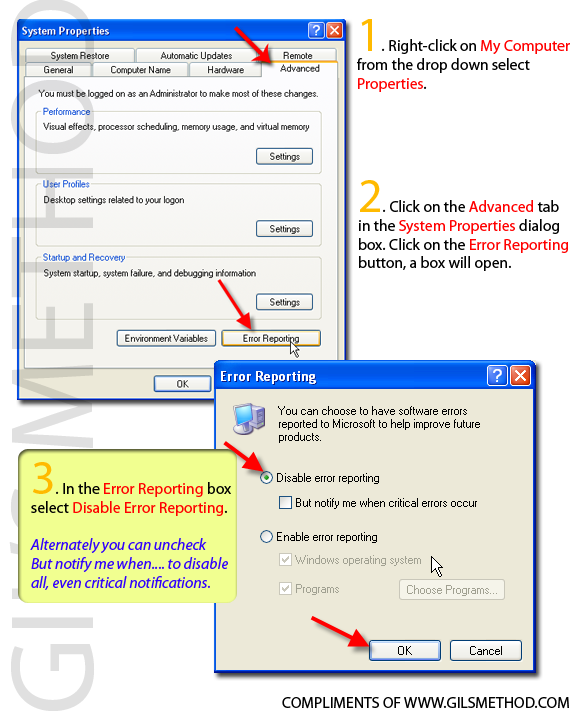
 This article is a forum request and thought that would be good information for everyone else visiting the site. Windows XP has a built in Error Reporting system that notifies Microsoft whenever a piece of software or Windows itself crashes. Some people prefer not to be notified because it is an annoyance or simply because they have no internet connectivity, as a result you have the option of disabling this feature. Follow the steps below to disable Microsoft Windows Error Reporting. As always comments/suggestions are welcome.
1. Right-click on My Computer and select Properties from the drop down menu.
2. Click on the Advanced tab and click on Error Reporting.
3. When the Error Reporting box pops up, click to select Disable Error Reporting, if you wish to be left alone with regards to the most critical errors then uncheck the But notify me when critical errors occur checkbox directly below Disable Error Reporting.


