
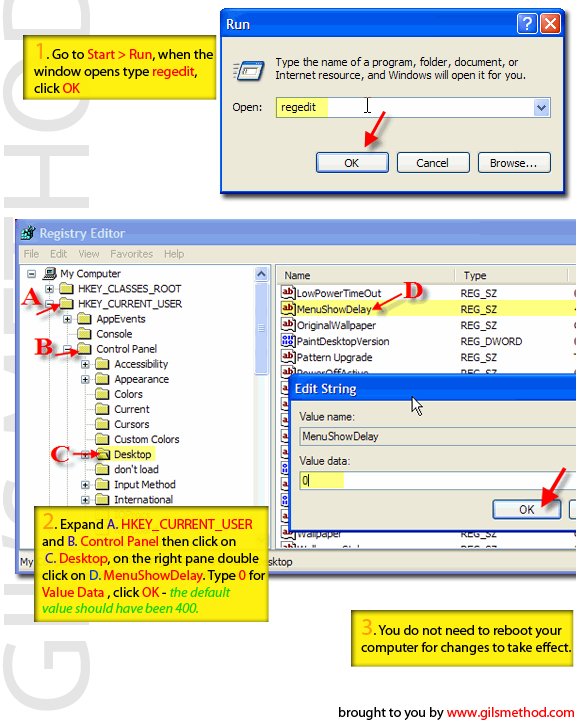
 I just hate it when I click the Start menu and it takes forever to load, so I started looking around and found that by changing a single number in the registry you can essentially decrease the amount of time it takes for the menu to load. Below you will find the steps necessary to make your Start menu load faster. As always comments/suggestions are welcome.
1. These tweaks require that you venture into your registry, please backup your registry.
2. Go to Start > Run when the Run box opens type in regedit
3. Your registry should have opened [Just checking…have you backed up your registry?] Navigate to the following keys; HKEY_CURRENT_USER > Control Panel >Desktop
4. On the pane to the right double-click on MenuShowDelay, it should open up a dialog box with a set value (it should be 400), change that value to 0.
5. Click OK, you’re done


