
Are you finally making the move to the 21st century and moving your CD collection to your computer? If you use iTunes to manage existing music or because you have Apple device that requires it, this guide will show you how to import music CD’s to your iTunes library in a snap. I am also using this guide to show you how to change the import settings and how to change the location of media files on your computer.
Why would you care about import settings or media folder locations? The import settings determine the quality/size of the music files that are being imported from the CD to your computer. The higher the quality, the larger the file size. The location of your media library determines where the files are located which in turn determines how easy it is to get to those files from other computers on your network.
If you have any questions related to this guide or anything about technology, use the comments form at the end of the article.
Note: I created this guide using screenshots of iTunes 9.2 and Windows 7 Ultimate.
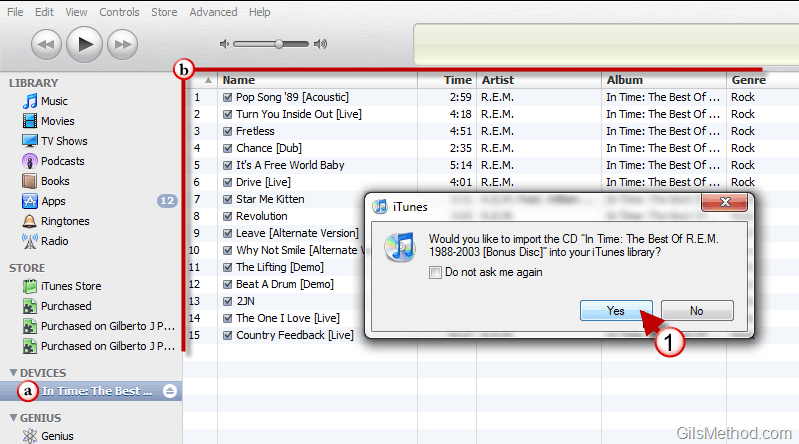
1. When you insert a music CD with iTunes open you should see a prompt asking if you would like to import the CD. Click Yes to begin the import process.
a. Note that the CD you inserted appears under Devices in the left pane.
b. Also note that the songs found on the CD will be listed in iTunes.
Note: Information about the CD (song titles, albums, etc.) are all pulled from the web and require an internet connection.
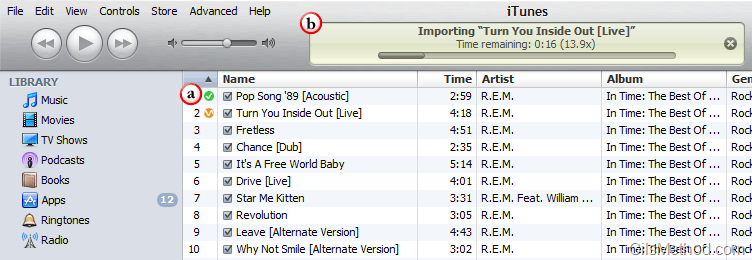
a. During the CD Import process you will notice that as songs are imported a small green check will appear next to the song title.
b. Songs that are in progress (being imported) will display a small squiggly line in an orange circle and the progress bar will be displayed on the top portion of the iTunes window.
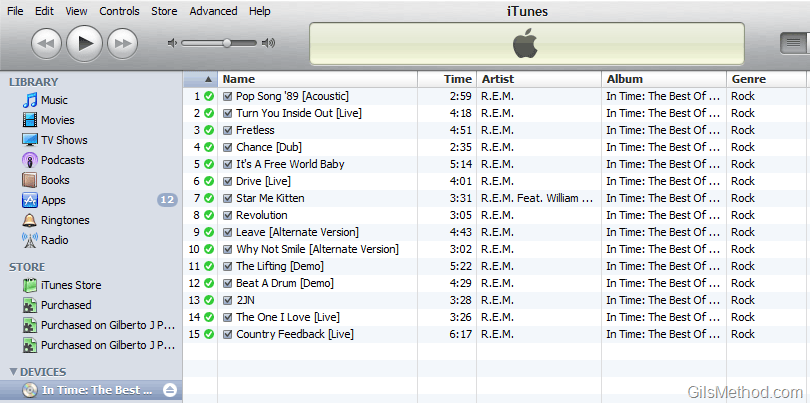
Once all of the songs have been imported you can remove the CD and repeat the steps above for subsequent music CD’s. Your songs will be listed in the Music Library.
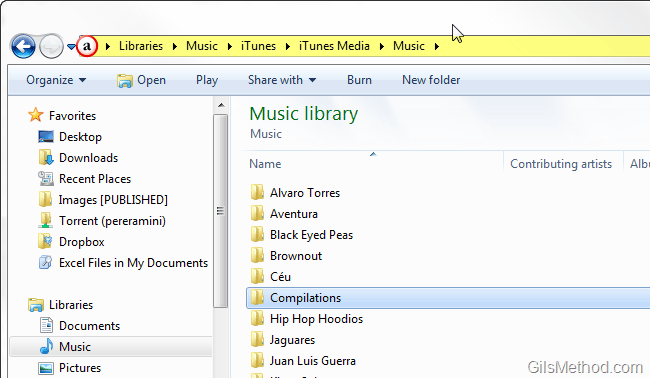
If you wish to locate your songs on your computer, they should be stored in the following directory:
C:>Users>User Name>Libraries>Music>iTunes>iTunes Media>Music
Customize iTunes Import Settings
Method 1
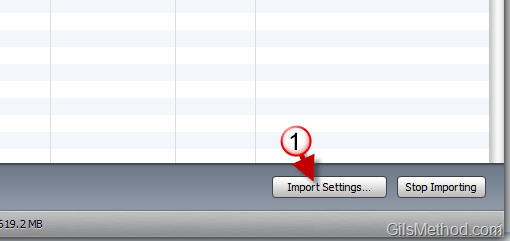
1. While importing a CD or when you click on a CD under Devices you can click on the Import Settings… button that will appear in the lower right portion of the iTunes window.
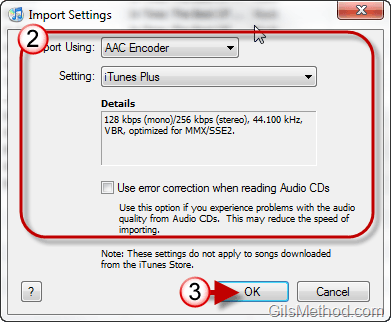
2. When the Import Settings window opens select the Encoder and Settings for the selected encoder. You will also have the option of enabling error correction when reading CD’s. The last will help with CD’s that have scratches or CD misreads.
3. Make your selections and click OK when you are done.
Method 2
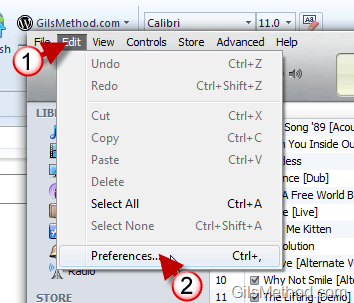
1. With iTunes open, click on Edit in the menu bar.
2. Click on Preferences from the list.
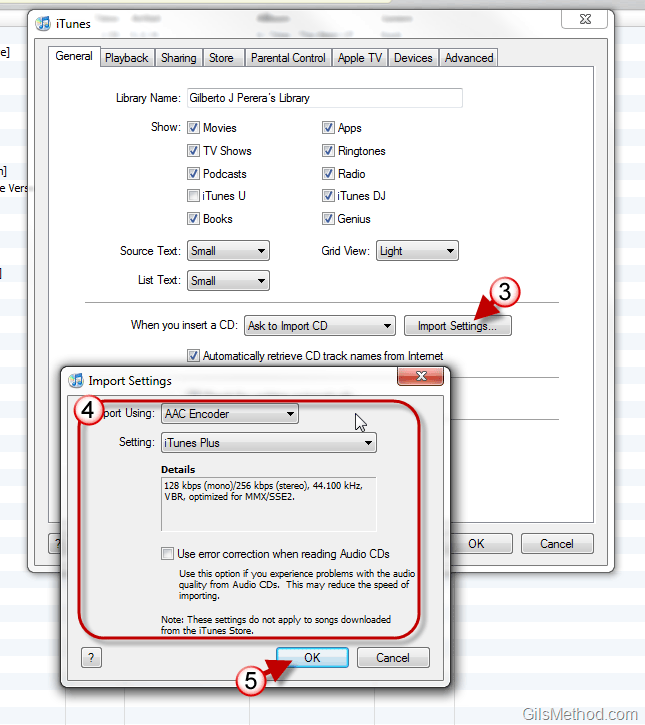
3. When the iTunes Preferences window opens, click on the Import Settings button.
4. When the Import Settings window opens select the Encoder and Settings for the selected encoder. You will also have the option of enabling error correction when reading CD’s.
5. Click OK to save the settings.
How to Change the Default iTunes Media Folder Location
If you’re not happy with the location of your iTunes folder or wish to share the directory on a network, then you need to follow the steps below to change the location of media files for iTunes.
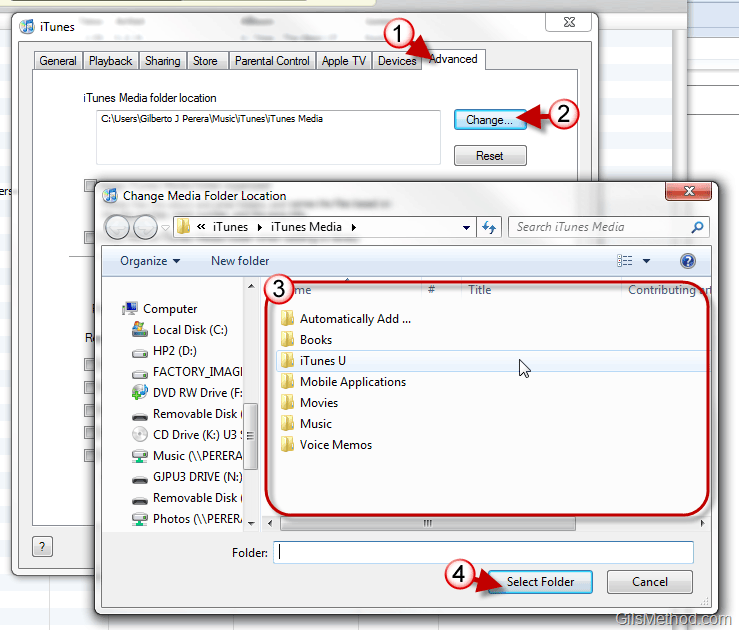
1. Following the steps above to get to the Preferences window…click on the Advanced tab.
2. Click on the Change button.
3. Select the directory you wish to use.
4. Click on the Select Folder button.
All of the music files imported to iTunes will be placed in the new folder you designated.



