If you’re a Foursquare, Gowalla, or other social check-in website user, you now have another option to check in to places you visit and share with friends. Facebook recently announced the roll out of Facebook Places which allows its 500 million users to check into places using the updated Facebook App.
What’s a check-in and why should I care? For those of you not familiar with check-in services at all. Think of it this way, whenever you visit a Starbucks, Publix, or pretty much any place in a map you check in via an app installed on your mobile device. This check in can be shared with friends or be completely private. Once you’ve checked in a number of times to a specific place you have the chances of becoming the Mayor for that place. As a Mayor, businesses that you rule can and do provide incentives for check-in and for Mayorships. For example if you are the Mayor of a Gap store you are entitled to a 25%, if you’re the Mayor of Starbucks they have different promotions – the last one gave Mayors $1 Frappuccino’s.
As you can see this has a lot of potential in driving business to companies and it also provides businesses with a method of rewarding loyal customers. There’s a lot more to the concept of check-in’s but this is the gist of it.
As for Facebook entering the check-in space, well that means that now all of your friends who use a mobile device to access their Facebook account will also be able to check in while they are it. This translates to you seeing messages on your wall about friends checking in, it also means that you will have that capability as well. There’s one thing you need to be concerned about:
Control over who sees your check-ins (by default only your friends can see your check-ins, however if you wish to control who sees your check-ins, follow this guide for instructions).
Let’s take a look at the updated Facebook app for the iPhone with Places enabled.
Note: I used an iPhone 4 running iOS4 for these screenshots.
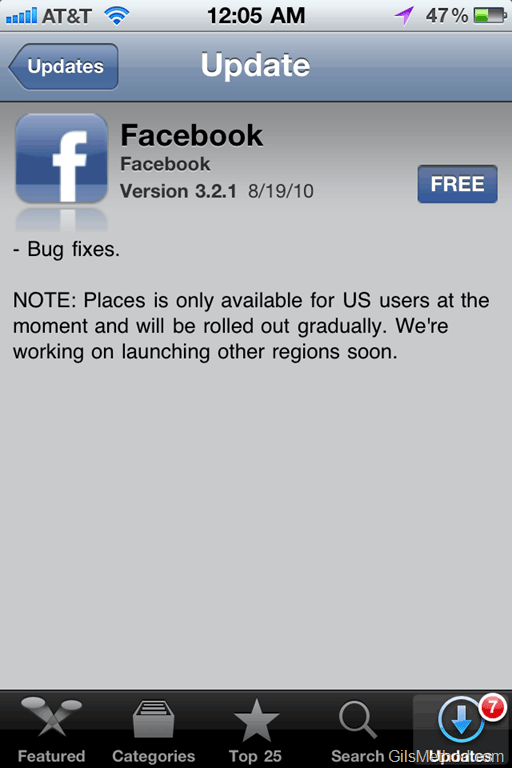
If you haven’t done so already, head over to the App store on your device to download the latest version of the Facebook App. You will notice that the new feature is available and that it is currently only supported in the United States. The statement mentions that other regions will be added soon.
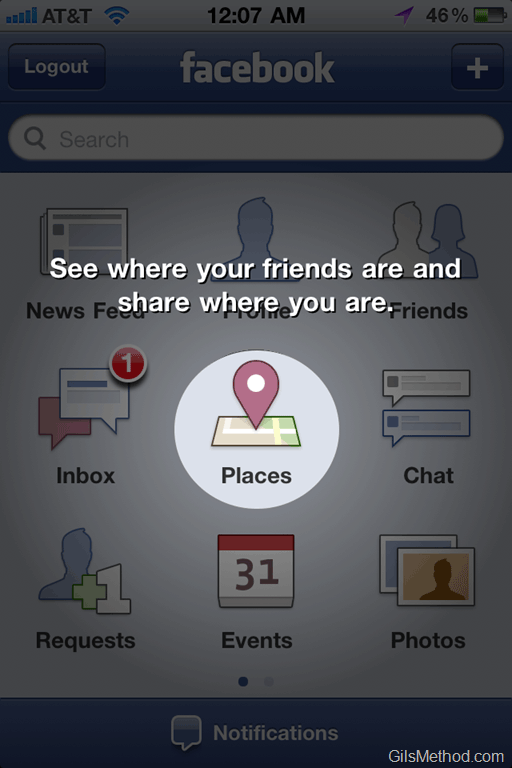
When you launch the updated Facebook app you will notice that a new icon resides between the Inbox and Chat. Places.


When you tap on the Places icon for the first time you will asked if you are OK with providing Facebook your current location information. This is required in order to determine where you are so that it can find places for you to check in.
1. To check in to a place, tap on the Check In button located on the top right corner of the screen.
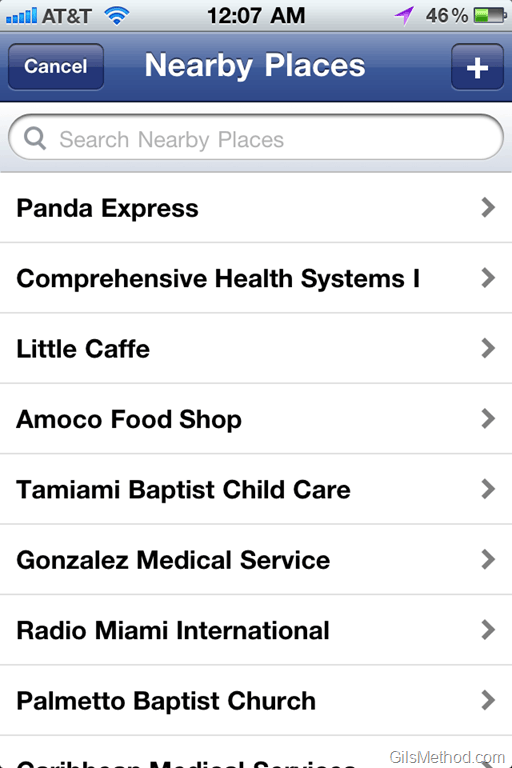
2. After which you will be taken to a page with a list of local businesses/places for you to check into. Tap on a place to check in.
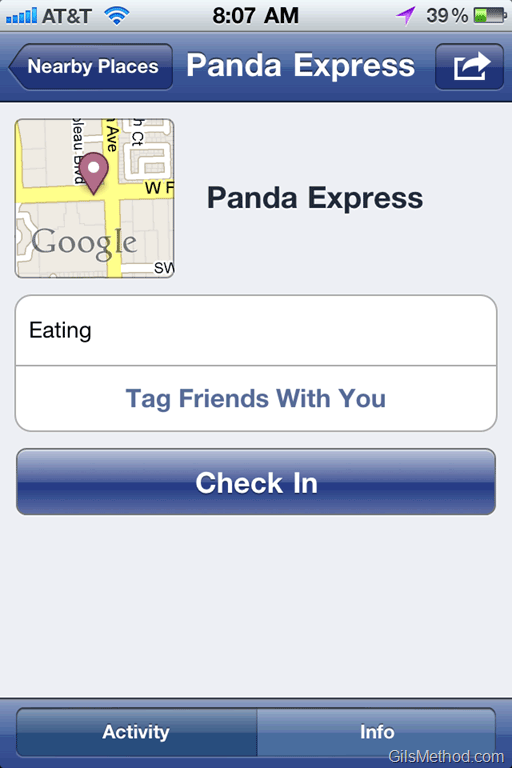
3. Tap on the Check In button for the place you selected from the list.
Note: You can tag friends who are on Facebook and are with you at the location and you can also add a comment.

When you tap on the Info button you will be able to see information about the place, who has checked in, and a map of the location.
Overall I think it’s a good start for Facebook, but they are still a long way from providing the experience, the incentives, and the excitement of checking in offered by Foursquare or Gowalla. If I wanted to share my check-ins with Facebook friends all I have to do is connect my Foursquare account to Facebook. I’ll wait a while to see how Facebook builds out Places, until then I’m sticking to Foursquare.