
See More About: , ,

Rotate Your iPhone for an Advanced Calculator

by

One for the best things about iOS for the iPhone is the number of features you can discover by simply rotating the phone.

In this guide I will show you how to access advanced functions in the iPhone’s calculator so that you can do a lot more than addition and subtraction on the iPhone.

Rotate the iPhone for More Options

When you launch the Calculator app on the iPhone you are greeted with the traditional calculator which allows you to evaluate basic mathematical equations.

However when you rotate the iPhone’s screen (make sure that the screen orientation lock is disabled), you will be presented with a full fledged calculator with a slew of options.
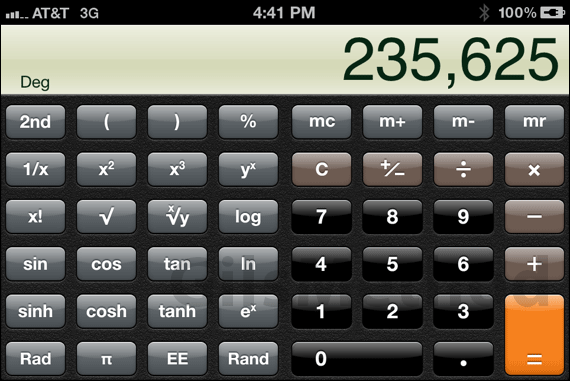
iphone advanced calculator2 Rotate Your iPhone for an Advanced Calculator

Go ahead and try it yourself. Open the Calculator app and rotate the screen for a powerful calculator on your iPhone.


Software/Hardware used: iPhone 4 running iOS 4.3.

See More About: , ,
Originally posted Jul 06, 2011

We close comments after 30 days on GilsMethod.com and ask that you post questions and issues on our Answers website.

This helps us better serve you by allowing us to keep track of unanswered questions that are usually hidden in long comment threads.

Answers.GilsMethod.com is a community-powered support website where you will be able to post questions, and other users including us will respond with expert advice.

So if you are having trouble with your PC, Mac, iPad, iPhone, or other piece of technology, head over to Answers.GilsMethod.com and ask away.