Use Jump Lists in Windows 7

by Dec 07, 2009

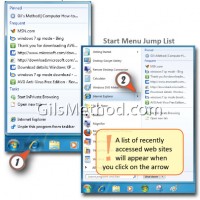
Now that we’ve become familiar with the components of the Taskbar, lets discover some of the new and exciting features Microsoft included with the Windows 7 Taskbar. In this section we’ll cover Jump Lists. The following is part of a series of articles that will mirror an electronic book that I’m set to release in…Continue Reading

Getting Around the Windows 7 Taskbar

Nov 17, 2009 No Comments

Before we jump into the Windows taskbar how-to’s let’s review what the taskbar is and the components that make up this powerful desktop component. The following is part of a series of articles that will mirror an electronic book that I’m set to release in December of this year. The eBook’s main focus will be…Continue Reading

Pin Up Application Shortcuts to the Start Menu in Windows 7 and Save Time

Sep 23, 2009 No Comments

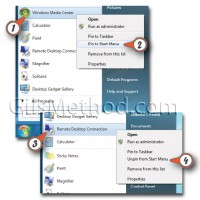
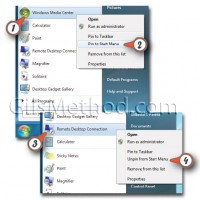
Pinning up programs to the Start Menu is synonymous with adding a shortcut to the Start Menu, a shortcut or pinned up application keeps you from having to locate a frequently used program or file in the Start Menu.. The following is part of a series of articles that will mirror an electronic book that…Continue Reading

Use Windows Search to Locate Your Files and Applications

Sep 15, 2009 No Comments

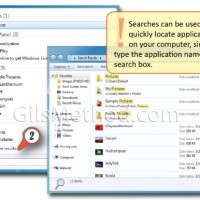
Since we began our first guide using the Start menu to access the Shut down, Log off, and other commands, it’s only right that we continue to explore the Start menu, how it works and what it can do for you. The following is part of a series of articles that will mirror an electronic…Continue Reading

Get Around the Windows 7 Start Menu

Aug 25, 2009 26 Comments

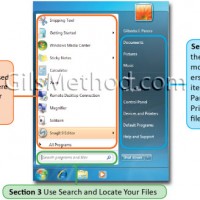
Since we began our first guide using the Start menu to access the Shut down, Log off, and other commands, it’s only right that we continue to explore the Start menu, how it works and what it can do for you. The following is part of a series of articles that will mirror an electronic…Continue Reading

Log On, Log Off, and Shut Down Windows 7

Aug 20, 2009 22 Comments

The guide below will walk you through the process of logging on to Windows 7 and the various options available to users when they are done working with their computers. The following is part of a series of articles that will mirror an electronic book that I’m set to release in December of this year….Continue Reading

Getting Around the Windows 7 Desktop

Aug 13, 2009 5 Comments

The following is the first in a series of articles that will mirror an electronic book that I’m set to release in December of this year. The eBook’s main focus will be helping new and old Windows users become familiar with the new version of Windows 7 that will available to the public in December….Continue Reading