Customize Gmail’s Colors and Background to Your Taste

by Apr 26, 2011

Customizing your Gmail Inbox identifies you as a unique individual. Some people like the old classic look like the Terminal theme, while some people prefer an earthier theme like the Turf theme. On the other hand people really don’t like any of the themes provided to them and would prefer to select their own colors…Continue Reading

How to Find and Use Hidden Windows 7 Themes

Jun 14, 2010 1 Comment

I’ve helped you find you new Windows 7 themes from Microsoft and I have also taught you how to customize your own themes, in this how-to I will show where you can find hidden themes within Windows 7 and how to use them to personalize your desktop. Windows 7 is available worldwide, as a result…Continue Reading

How to Change the Color Scheme for Office 2010 Applications

Apr 09, 2010 1 Comment

If you really want to differentiate yourself from others who use the default color scheme in Office 2010 applications, then read on. Office 2010 (beta) ships with three color schemes to help customize the look of all Office 2010 applications. To change the color schemes on your Office 2010 installation, follow the instructions below. Note:…Continue Reading

How to Turn On or Off Calendar and Email Notifications on the iPad

Apr 09, 2010 7 Comments

The default setting on your iPad should have both calendar and email notifications enabled, but what if you would like to disable those notifications instead? The how-to below will show you where these settings reside along with other sound related settings that will allow you to customize your iPad even further. Do you own an…Continue Reading

How to Change the Default Signature on the iPad

Apr 08, 2010 No Comments

If you’re looking to spice up or simply change your email signature on your iPad, you may want to follow the instructions below. In the guide below I will show you how to change the iPad’s default “Sent from my iPad” email signature. Do you own an iPad? You might want to look into protecting…Continue Reading

How to Customize What the Home Button on Your iPad Does

Apr 08, 2010 7 Comments

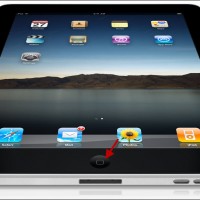
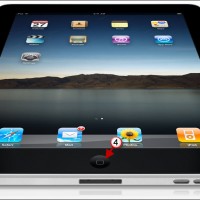
By default, the Home button on the iPad will take you back to the Home Screen if pressed/clicked once, if pressed/clicked twice it will do the same thing. For those of you that are wondering where the Home button is, it is the button located directly below the screen. If either action, single or double…Continue Reading

How to Add More Apps to the iPad Dock

Apr 07, 2010 4 Comments

The iPad, like the iPhone gives you the option to add and remove Apps from the Dock area. This area is usually a great place to put your most frequently accessed applications. Unlike the rest of the Apps on the screen, the Apps on the dock remain in the same position regardless of the Apps…Continue Reading

Use Picasa to Create Your Own iPad Wallpapers

Apr 05, 2010 13 Comments

One of the nicest features you’ll find on the iPad is the ability to use a wallpaper not only for the Lock Screen, but also for the Home Screen. You can specify which pictures to be used as a wallpaper, but your wallpaper pictures may end up taking more space than necessary. Most current digital…Continue Reading

How to Change the iPad’s Date and Time

Apr 05, 2010 No Comments

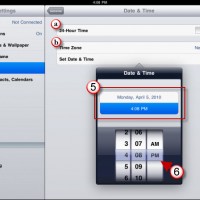
If you’re travelling across time zones or you simply wish to change the time on your iPad, the how-to below will show you where the Date and Time settings reside and the options available to you. Do you own an iPad? You might want to look into protecting your investment with invisibleSHIELD screen protectors. If you…Continue Reading

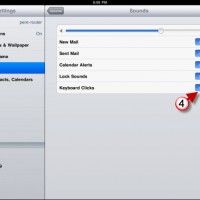
How to Turn Off the Keyboard Clicking on the iPad

Apr 04, 2010 No Comments

Like the iPhone, I found myself quickly annoyed by the clicking sound made each time a key is tapped on the iPad. I looked around in Settings and found the setting to disable this somewhat annoying sound. If you wish to disable the clicking sound each time you tap keys, follow the steps below. Do…Continue Reading

How to Change the iPad’s Wallpaper

Apr 03, 2010 1 Comment

Already bored with the default iPad wallpaper? Don’t worry unlike the iPhone which really doesn’t have a wallpaper functionality, the iPad does, and you can customize it. The iPad allows users to specify an image for both the Home Screen and the Lock Screen, they can be same or different, it’s up to you. Like…Continue Reading

Is Your Windows 7 Start Menu Getting Tall? Follow These Steps and Shorten It

Mar 25, 2010 2 Comments

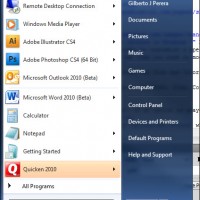
Does your Windows Start Menu resemble a skyscraper in height? By default the Windows 7 Start Menu displays 9 recent applications plus all of the applications that you have pinned up. If you have several pinned up applications like I do, your Start Menu will appear very tall (see screenshot below). In order to remedy…Continue Reading

How to Change Windows 7 Fonts

Mar 24, 2010 2 Comments

If you are big on customizing the look of Windows 7 and want to learn how to change the fonts for every element in the operating system, then read the instructions below. Windows provides users with the freedom to customize the fonts throughout the operating systems interface. You can change the font size, the font,…Continue Reading