How to Update the Apple TV

by Nov 22, 2010

The latest release of iOS 4.2 brings video streaming from iOS devices to the Apple TV, but before you can use this really cool feature you must first update your Apple TV to version 4.1. The guide below will show you how to update your Apple TV to the latest software version. If you have…Continue Reading

Apple TV Update Brings Video Streaming from iOS Devices to Apple TV

by Nov 22, 2010

Apple has just released an update to the Apple TV which enables video streaming from iOS4.2 devices like the iPad and iPhone. To download the update head over to Settings on your Apple TV, then General and select Update Software from the list of options. Follow the on-screen instructions. To learn how to setup streaming to the…Continue Reading

6 Videos to Get You Up to Speed with iOS 4.2 on the iPad

by Nov 22, 2010

Did you just upgrade your iPad to iOS4.2 and wonder what all the big fuss is about? You’re not alone. When you first turn on the updated iPad the only difference you will see is perhaps a different wallpaper, but that’s about it. Most of the new features require a little know-how before you can…Continue Reading

Apple Releases iOS4.2 GM Update for the iPad

by Nov 12, 2010

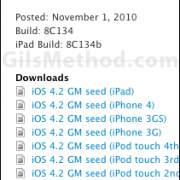
It appears that rumors about the iPad’s Wi-Fi issues were in fact true. Apple has updated the Developer portal with a new build of iOS4.2 specifically for the iPad. The new build number is 8C134b as opposed to build 8C134 previously available for the iPad. Based on this and the fact that there is no…Continue Reading

iTunes 10.1 is Now Available; Sports AirPlay and iOS 4.2 Compatibility

by Nov 12, 2010

The latest iteration of iTunes 10 is now available for download. If you still haven’t seen the update come through make sure to click on iTunes > Check for Updates on your Mac or About > Check for Updates in Windows. The download is about 92MB and will bring you to version 10.1. What’s new…Continue Reading

How to Add a Bookmark to the iPad’s Home Screen

by Jul 27, 2010

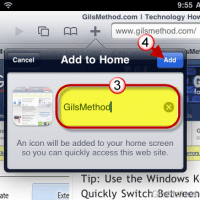
If you are constantly visiting a set of websites on your iPad using the Bookmarks bar in Safari might not be enough for you, luckily with the iPad you can add Safari bookmarks to the Home Screen. When you add a bookmark to the iPad’s Home Screen you essentially skip the process of opening Safari…Continue Reading