How to Test Your Document’s Readability in Word 2010

by Aug 30, 2010

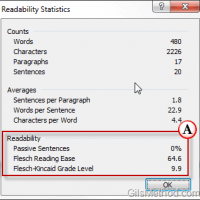
If you have ever been interested in the readability level of your writing then you are going to love a hidden feature in Word 2010. Why would you care about the readability of your writing? Depending on your audience, the level at which you write needs to be adjusted accordingly, for example, if you write…Continue Reading

How to Create and Edit Sparklines in Excel 2010

by Aug 27, 2010

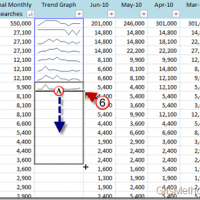
If you’ve ever tried making sense of a lot of trend data in Excel you’ve usually found that plotting the data using a line chart or bar graph helps you make sense of it all. However what happens when you have more than one data set and all you need is a quick preview? Rather…Continue Reading

How to Customize Outlook 2010 Panes

by Aug 24, 2010

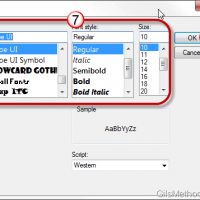
Does the default font size and style used throughout Outlook’s program interface bug you because it’s too small or the font isn’t your favorite? Have you ever wanted to change the font size used for Outlook’s folders? If you’ve ever found yourself wanting to change how text looked in Outlook 2010, you’ve come to the…Continue Reading

Tip: Find Unsaved Contacts in Outlook 2010

by Aug 16, 2010

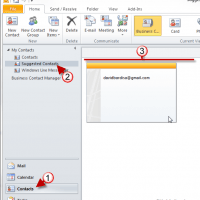
How many times have you gone searching for the email address of someone you emailed months or weeks ago? If you happen to use Outlook 2010 to manage your emails you will be happy to find out that all of the email addresses you have ever used while composing messages are saved by Outlook. Better…Continue Reading

How to Change the Default Save Location for Word 2010

by Aug 06, 2010

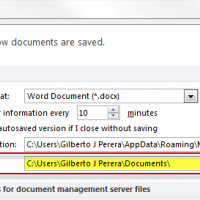
Do you find yourself moving back and forth between folders each time you want to save a new Word document? Chances are you use a directory that differs from the default directory to save your documents. If this is the case, you can change the default Word directory to a location you use most frequently….Continue Reading

How to Translate Documents in Word 2010

by Aug 03, 2010

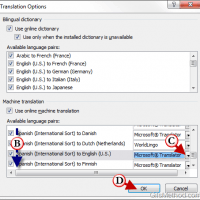
Wouldn’t it be nice to be able to quickly translate an entire document into your native tongue? In Word 2010 you will be able to do just that. One of the most recent features added to the Office suite is the ability to translate words, sentences, or entire documents without having to leave the Word…Continue Reading

Save Time Formatting Cells in Excel with the Format Painter

by Jul 30, 2010

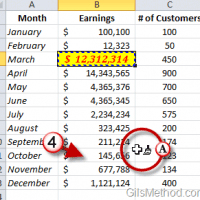
Applying a specific set of formatting settings to range of cells can be time consuming so imagine having to do the same for another sheet or workbook. Luckily in Excel 2010, the Office team included one of my favorites, the Format Painter tool. The Format Painter tool is an easy to use tool that allows…Continue Reading

Work On Office 2010 Documents with Friends on Facebook

by Jul 22, 2010

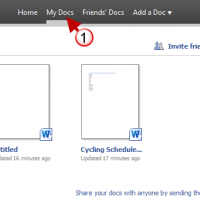
Believe it or not your next group project may be completed with your friends while using Facebook. In an attempt to bridge the gap between the social web and collaboration, Microsoft through its Fuse labs has created Docs.com. This service (still in Beta) allows Facebook users to create, share, and collaborate on PowerPoint presentations, Word…Continue Reading

How to Save Attachments in Outlook 2010

by Jul 22, 2010

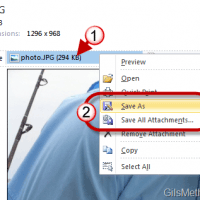
Attachments come in many file types and sizes, luckily the act of saving them to your computer for later use is quite simple. Due to the number of messages that I have received regarding this task, I’ve decided to create a short guide that will walk users through the process of saving documents, images, and…Continue Reading

Tip: Use Columns to Vertically Split Content in Word Documents

by Jul 21, 2010

Have you ever wanted to use a newspaper-like format for a document you were working with? If so, you’ll find that formatting content using multiple columns in Word is quite easy. The guide below will show you how to split the content in a Word document into two or more columns, similar to the layout…Continue Reading

How to Disable AutoCorrect Features in Word 2010

by Jun 25, 2010

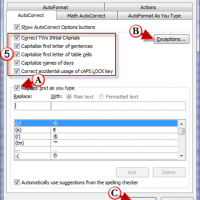
Although Word’s AutoCorrect  feature makes us a bit careless with what we type, it does heck of a job to increase our productivity. It corrects typos, capitalizes words for us, and makes sure that we capitalize the correct words. It also does a great job of being really annoying at times because it will automatically…Continue Reading

Tip: Change AutoRecovery Frequency in Word 2010 to Avoid Disasters

by Jun 25, 2010

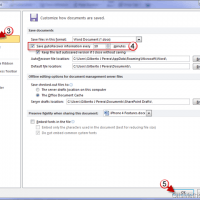
Have you ever worked on a monstrous paper only to have Word crash? Luckily the AutoRecover feature backed up the file and you are saved, but what about the work you got done in the past 10 minutes? If you haven’t changed the default value that Word uses for AutoRecover, then you might have just…Continue Reading

How to Edit Headers and Footers in Word 2010

by Jun 24, 2010

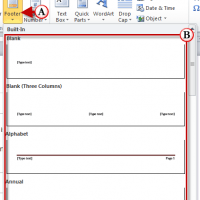
Are you new to Word 2010 or Word 2007 and don’t know where the Header and Footer went? Don’t worry, in this guide I will show you where on the Office Ribbon the Header & Footer options reside and I will also show you how to use some of the options that are available to…Continue Reading