Updates to Web Apps Brings New Features to Excel & PowerPoint Online

by May 16, 2011

With online office programs, such as Google Apps, becoming more popular, it’s getting harder and harder for Microsoft to compete. On June 7, 2010 Microsoft entered the online office program playing field with their new set of apps, called Web Apps which included Word, Excel, PowerPoint and OneNote. A few months ago they made Web…Continue Reading

How to Change the Default Save Format in Excel, Word and PowerPoint 2010

Sep 13, 2010 No Comments

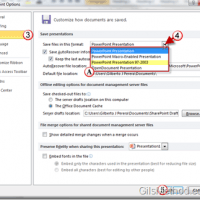
How many times have you received a reply from someone who cannot seem to open an attachment you sent them recently? If you’re using Office 2010 chances are that others have yet to upgrade to the latest version of Office, this means that you are likely sending them Word, Excel, and PowerPoint files that are…Continue Reading

How to Save Office 2010 Files Directly to SkyDrive

Apr 09, 2010 1 Comment

Wouldn’t you like to be able to access all of your Word Documents, Presentations, Spreadsheets, and even your Notes on the Go? Well, if you use Office 2010 and your Windows Live SkyDrive you’ll have your files securely stored online so that you can access them from anywhere. Gone are the days of additional plug-ins…Continue Reading

How to Change the Color Scheme for Office 2010 Applications

Apr 09, 2010 1 Comment

If you really want to differentiate yourself from others who use the default color scheme in Office 2010 applications, then read on. Office 2010 (beta) ships with three color schemes to help customize the look of all Office 2010 applications. To change the color schemes on your Office 2010 installation, follow the instructions below. Note:…Continue Reading

Feature: The Complete Guide to Using Sections in PowerPoint 2010

Apr 09, 2010 2 Comments

How many times have you worked on group presentation and found yourself lost? I know I have, specially when several team members are working on it and presenting together. In PowerPoint 2010 you can pretty much say goodbye to that problem. The Office team at Microsoft has introduced a feature in PowerPoint 2010 that allows…Continue Reading

Trim Videos Within PowerPoint 2010 and Keep Your Audiences Focused

Mar 10, 2010 No Comments

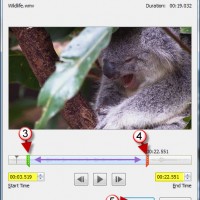
How many times have you found a great scene from a video online that you wanted to show an audience in PowerPoint? Of those times how many of those desired scenes were located halfway between the video? Unless you know how to edit videos you probably sat your audience through 5 minutes of meaningless footage…Continue Reading

Create a Webcast with PowerPoint 2010

Feb 25, 2010 5 Comments

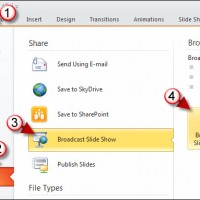
The other day I was working on a presentation in PowerPoint 2010 beta (which you can download for free from Microsoft) and found a Broadcast Slide Show button tucked away in the Share options under the File menu. I clicked on Broadcast Slide Show and found that PowerPoint now allows you to broadcast to the…Continue Reading

Save Time by Customizing the Office Quick Access Toolbar

Jan 31, 2010 No Comments

One of my favorite and frequently used toolbars is the Quick Access Toolbar located above the Office Ribbon. By default the toolbar has shortcuts for the Save, Undo, and Redo commands, fortunately Microsoft likes to make our lives easier and allowed users to customize this easy to access toolbar. The how-to below will walk you…Continue Reading

How to Display Multiple Excel Windows in the Taskbar

Jan 07, 2010 1 Comment

I often work with multiple Excel windows at any given time and I have found that I work best with Excel when all open windows are displayed on the Windows Taskbar (see screenshot below for illustration). The default setting for this feature groups all Excel windows (or workbooks) into one Taskbar button. This can be…Continue Reading

Pin Frequently Used Documents and Save Time in Office 2007

Jun 30, 2009 5 Comments

I have a set of documents that I frequently use in Excel and Word. Most of the time I can find them using the Recent Documents menu, but at times when they are not listed (because I’ve opened so many other documents) I have to locate the files to open them. I am always looking…Continue Reading

Sneak Peek: Access, Excel, PowerPoint, and Word 2010

Jun 16, 2009 4 Comments

Like I stated in my previous post, I was able to get a copy of Office 2010 and have been playing with it since. The videos below are just a preview of each of the applications mentioned below, more will follow. Even though it is a technical preview I found it to be extremely stable…Continue Reading

Keep Your Microsoft Office Data Private

Mar 27, 2006 No Comments

Most computer users are not aware that files created from the Microsoft Office Suite (Word/Excel/PowerPoint) may contain hidden information that you may want to keep private. If you’re wondering what kind of information can be obtained, here’s the list; Author information Collaboration information Editing Time Date Created Date Copied and more… To battle this issue…Continue Reading