
Have you ever wanted to share pictures with family and friends without having to send emails to everyone with a ton of attachments? If you use Picasa to manage pictures on your computer and happen to have a Gmail account, you don’t have to anymore. Picasa coupled with Picasa Web Albums will allow you to upload your images to the web for free so that you can share them with family and friends. The how-to below will show you how to upload your pictures to Picasa Web Albums using Picasa.
If you have any comments or questions, please use the comments form below.
Before you proceed make sure you have a Picasa Web Albums account.
Note: The free account is limited to 1GB of storage. You can purchase additional storage capacity from Google.
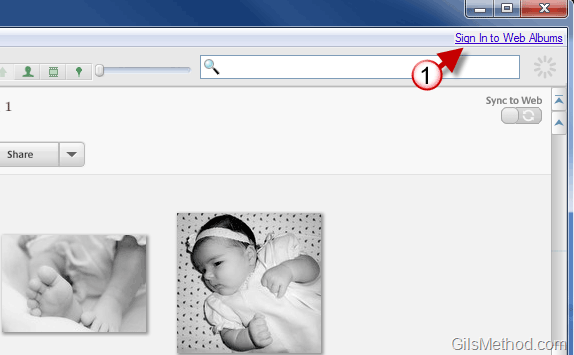
1. If you are not signed in to Web Albums, click on the Sign in to Web Albums link on the top right corner of the Picasa window.
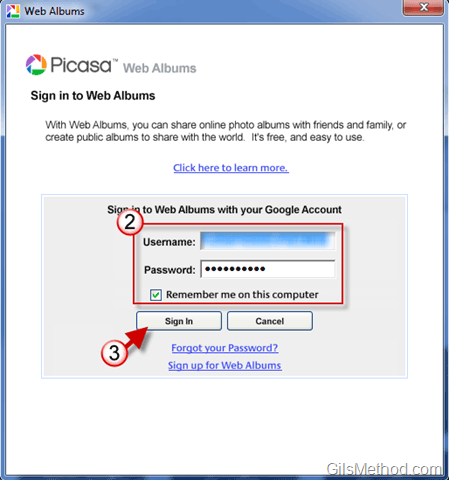
2. Enter your credentials – your Gmail account information.
3. Click on Sign In.
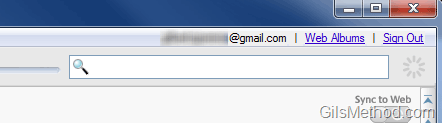
Once you are signed in, you should see your Gmail address, Web Albums, and Sign Out.
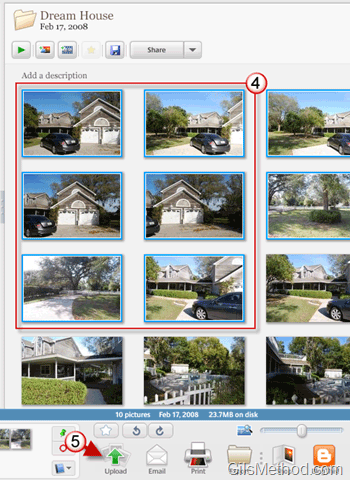
4. Select the images you wish to upload.
5. Click on the Upload button.
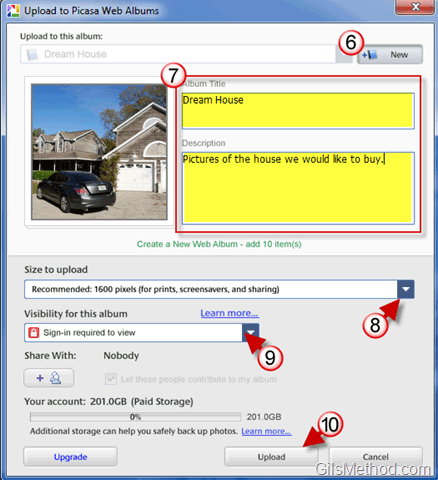
6. You have two options here – you can create a new album by clicking the New button or select an album from the list if you wish to add the pictures to an existing album.
Select the option that you wish to use.
7. Enter a name for the Album and add a Description.
8. Choose the size you wish to use for the images you upload. You have the option to choose Original Size or several presets. Choose the size you wish to use.
Note: Use the presets that resize your images for a faster upload and to use the free 1GB provided efficiently.
9. Choose whether you wish to make the album you are uploading Public, Unlisted, or Sign-in required to view. If you wish to keep your images private then choose Sign-in required to view.
Note: You can click on the Share with button to send emails to authorized viewers.
10. Click Upload when you are ready.
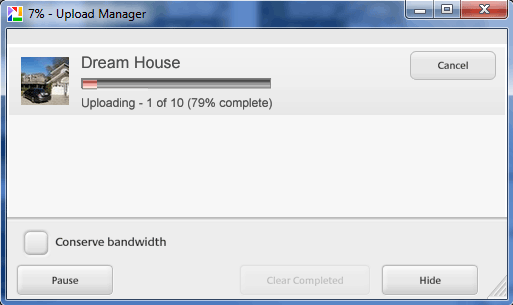
Pictures uploading…
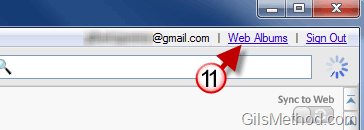
11. To view the album you just uploaded to Picasa Web Albums, click on the Web Albums link in Picasa.
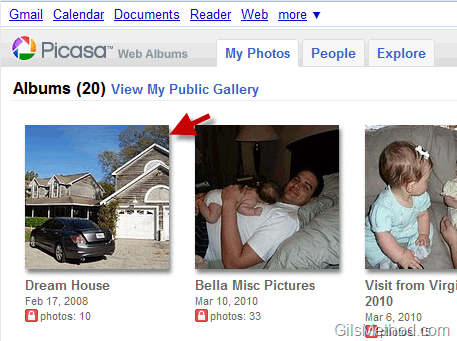
12. A browser window will open and take you directly to Picasa Web Albums. The album you just uploaded should be listed.
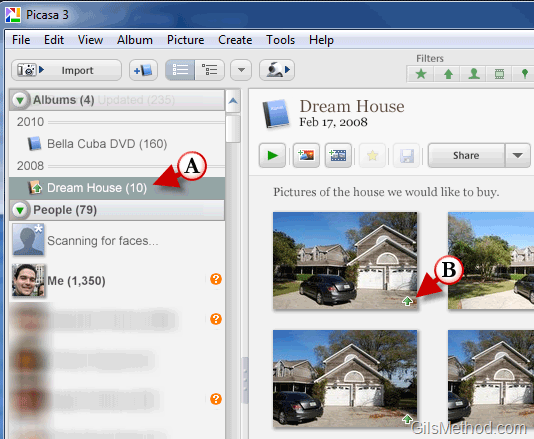
A. You will also notice that the uploaded album will appear under the Albums list in Picasa’s navigation pane.
B. The uploaded images will have a small “up arrow†on the lower right corner indicating that those pictures were uploaded.



