
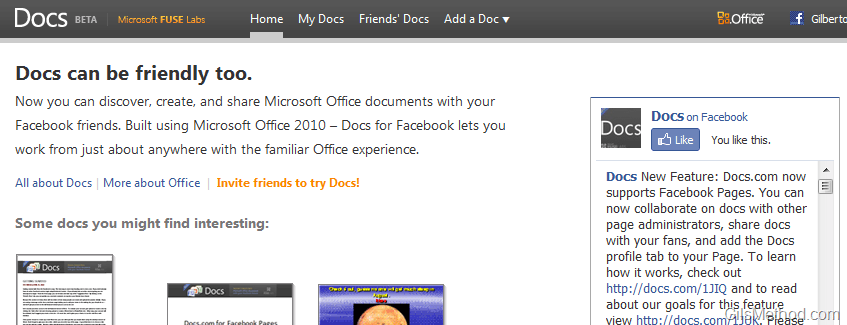
Believe it or not your next group project may be completed with your friends while using Facebook. In an attempt to bridge the gap between the social web and collaboration, Microsoft through its Fuse labs has created Docs.com. This service (still in Beta) allows Facebook users to create, share, and collaborate on PowerPoint presentations, Word documents, and Excel Spreadsheets within the browser and fully connected to Facebook. The platform which allows users to edit documents within the browser window is the new Office Web Apps service which allows users to create, edit, and share Office documents with their hotmail account.
You can start creating and sharing docs by visiting Docs.com, there you will have the option to view Friends Docs (those they have shared with you), your own Docs, and the ability to create a new Doc (PowerPoint, Word, and Excel). By default new documents are not shared with anyone, you will have total control over who can access documents created in Docs.com as well as who has rights to edit these documents.
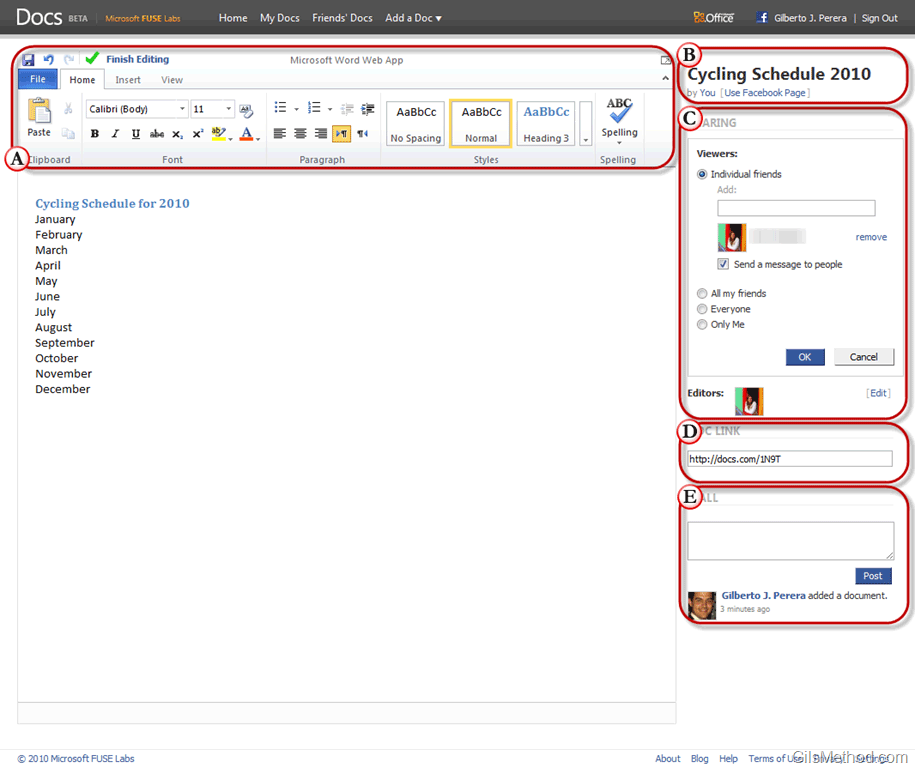
When you create a new document (in this case a Word document) you will be greeted with a familiar interface found in Office 2007 and Office 2010. A. The Office Ribbon along with a set of options to help you choose D. Editors, C. Viewers, B. document name, D. Direct Link to document, and the E. ability to Post the document to your Facebook Wall (if you wish to share it with others).
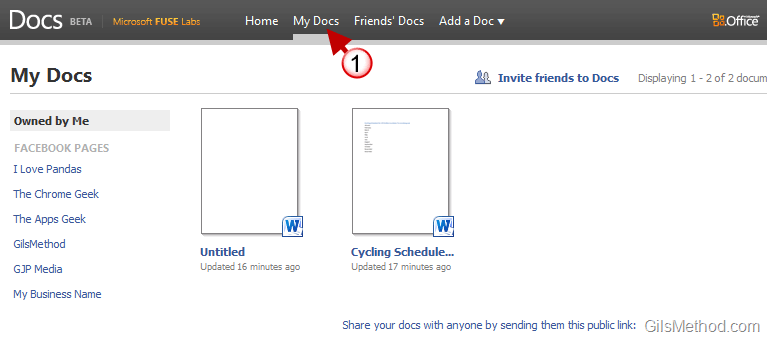
When you are ready to work on the document, simply edit the document as you would in Word and save the changes by clicking on the Save button. When you are done editing the document click on the Finish Editing link to close the document and return to the Docs.com homepage. Next time you click on the 1. My Docs link on the home page you should see all of the documents you have created with Docs.com.
To add the Docs.com tab to your Facebook profile, follow the instructions below.

1. Once you have linked your Docs.com site with your Facebook profile, simply click on [+] to add a new tab to your profile.
2. Click on the Docs tab from the list. If it is not listed, enter Docs in the search box provided.
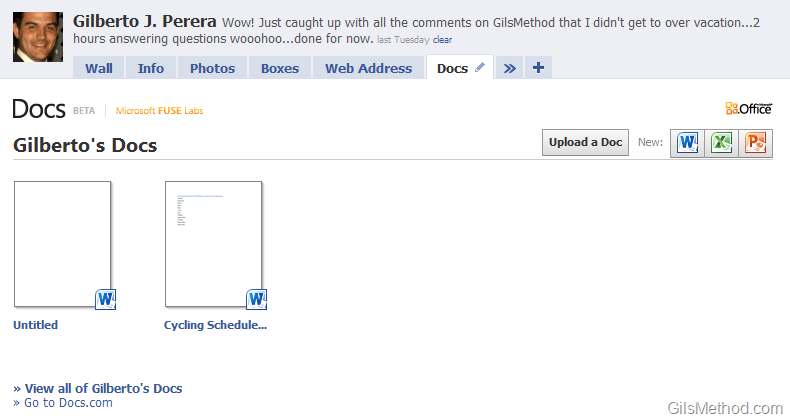
The Docs page within Facebook will load with a list of documents you have created. You can use the links on the right side of the screen to Upload a Doc or create a New Doc.
Do you see yourself using this tool to collaborate on projects with friends?



