Primary links

11 Obscure Google Tricks You Didn't Know Existed

Many articles have been written on hacks, tips, etc over the number of ways and things that can be found using Google's search platform. Just today I ran into an excellent post on lifehacker listing the Top 10 Obscure Google Search Tricks. The user response was immense and also full of tips that were not included in the original article. In an attempt to list most of these 'tips' I've compiled a list of the most obscure ones to use at your leisure.

If you think of some that I've missed on this post please fee free to comment and I'll add it to the list.

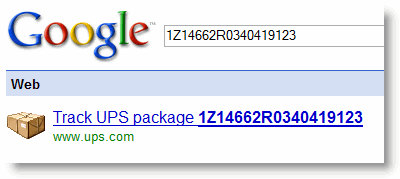
Trick #1 - Track your UPS packages without having to log on, etc, just input the tracking number in the search field.
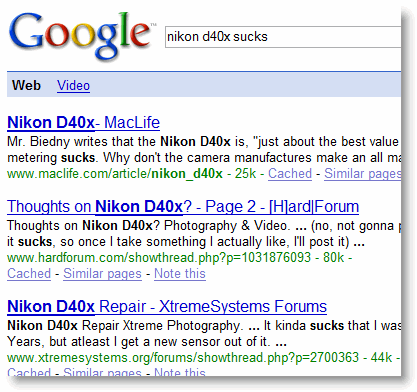
Trick #2 - If you're looking for reviews on a product and don't care to get bombarded with web results of sites trying to sell you the specific product, type "product name" sucks, in my case below I turned up some reviews for my camera.
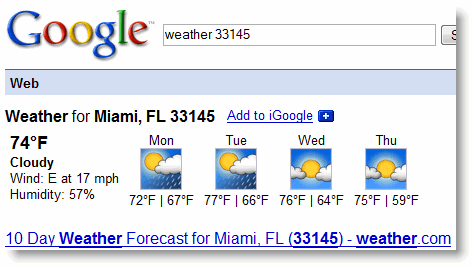
Trick #3 - Check your local weather by inputting weather "your zip code" in the search box

Trick #4

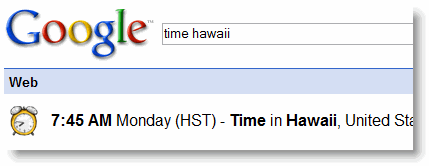
- Want to know the time in another country/city anywhere in the world? Type time "city" and it should display the current time in that part of the world.
Trick #5

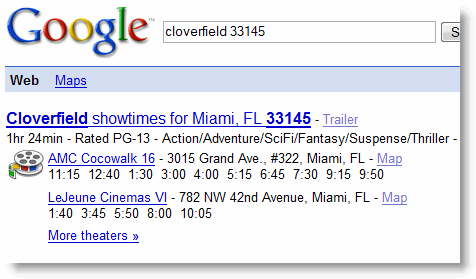
- Want to check the movie times at your local theater? Type "movie title" "your zip code"

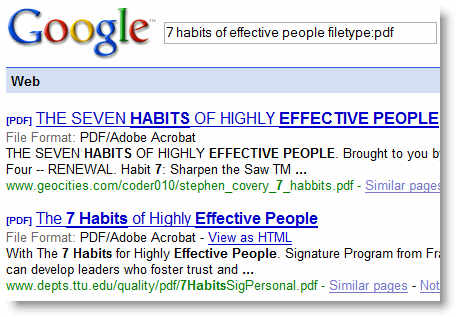
Trick #6 - Want to get a copy of an book electronically? Well, type "title of book" filetype:pdf

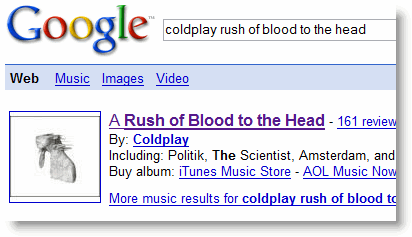
Trick #7 - Get the album cover and song list for pretty much any CD by typing "name of artist/band" "title of album"

More tricks below...


Trick #8 - If you're in the market for rental property, before your hit Craig List type in rent "zip code" and view the listings on Google Maps

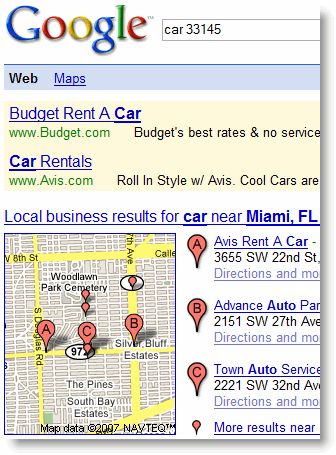
Trick #9 - New in town? Looking to rent a car?
Type car "zip code"

Trick #10 - What's the mass of planet earth? Type mass of the earth
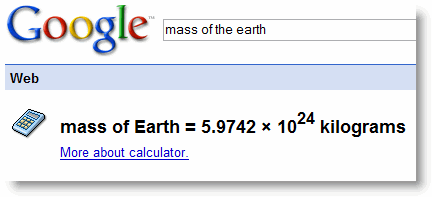
Trick #10 - What's the mass of our moon? Type mass of the moon

Trick #11 - Want to find out how tall movie stars and other celebrities are, type their name followed by height - i.e. katie holmes height

Technorati Tags:
Average: 3.6 (20 votes)

Trackback URL for this post:

http://www.gilsmethod.com/trackback/753

Comment viewing options

Select your preferred way to display the comments and click "Save settings" to activate your changes.

I loved trick number 2, I

I loved trick number 2, I tried it for my camera and I got some interesting results as well. All these tips are very practical, I should mark them for daily use along with Google magic formula.

Yeah, these Google search

Yeah, these Google search features are really cool. Before I was just using Google basic features, really don't know about those obscure features, but after a friend told me about them, I became a Google fan.

Nice Google tricks

All the above are really nice, and of course useful Google tricks. Thanks.

Google Tricks

I didn't know about the "Filetype:PDF", thanks!

I know there's one that gives you access to live traffic cams.
But don't remember now.

Google Suggests

go to http://www.google.com/webhp?complete=1&hl=en and start typing in your search, there are options that come up.
type google and you see google maps google video google whatever and it shows how many results there are for the options being displayed.

Great if you can't spell a word.
helps getting keywords too.

Nothing a person who spends

Nothing a person who spends time on advanced user/techy sites wouldn't know, but I guess there will always be an endless stream of end-users to wow and dazzle.

well, yes perhaps for you it

well, yes perhaps for you it was. but not everybody is so amazingly clever as you. keep your thoughts to yourself.

another trick

something else I have also started doing with google in combination with firefox: directly in the address bar of Firefox (w/no http or anything else) you can search a site with a database search very easy. For instance
wikipedia xbox 360
Will take you directly to that wiki page, no search results. The same with IMDB:
imdb star wars
This is really just doing a convenient "I'm feeling lucky" search in the address bar, firefox just makes it so much easier. You can do the same with any other browser with the "I'm feeling lucky" button, and no it doesn't work with every search every time. Try it with other sites like amazon, youtube, microsoft.

I have also found it convenient for getting my IP address, just put in "what is my IP address" or "my IP" and in search results will be the results from sites that will return your IP (you don't have to click search result link).

Similar to your examples you can also put in thins you want to know in sentence, for instance:
"there are feet in a mile"
Would return pages that contain the entire phrase
"there are 5280 feet in a mile".

The only new insight was the

The only new insight was the "product sucks", the rest is redundant. So are the comments here.

your site sucks

YO WTF, You should include stuff about...
"index of" and how to watch webcams and camers like all other google tip sites

people arnt retards, and go learn stuff befor making crappy sites and puting them on stumbleupon.
THUMBS DOWN

Awesome!

Awesome tricks! the zip code ones are a new fav of mine now! Thanks

wow good info.. typing what

wow good info.. typing what you want into google will return what you are looking for... who knew?

Restaurant finder

You can basically find anything local by typing in a keyword and your zip code.

For instance: restaurants "your zip code"
You'll get local restaurant listings plus links to reviews.

I also used coffee, malls, and grocery stores - it all works.

You can also use it as a conversion calculator - type conversion ounces to cups for instance.

Comment viewing options

Select your preferred way to display the comments and click "Save settings" to activate your changes.

Post new comment

The content of this field is kept private and will not be shown publicly.
 
  • Allowed HTML tags: <a> <em> <strong> <cite> <code> <ul> <ol> <li> <dl> <dt> <dd>
  • Lines and paragraphs break automatically.

More information about formatting options

CAPTCHA
Hate to ask, but I need to confirm you're human
9 + 1 =
Solve this simple math problem and enter the result. E.g. for 1+3, enter 4.