
Tag: Picasa

How to Create a New Folder from Photos in Picasa
When importing images to Picasa there are times that images from various events get grouped into the same folder. You can also run into...
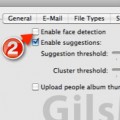
How to Disable Face Recognition in Picasa
If you have a ton of images in Picasa and find that Picasa is using a lot of resources it may be due to...

How to Email Photos with Picasa
If you're not a fan of using Picasa Photo Albums to share your images and prefer to use the old method of sharing photos...

Uploading in Picasa Web Albums Now More Effective
If you’ve used Picasa Web Albums before, you’ll know that the upload limit has been set to five at a time and the upload...
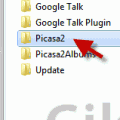
How to Backup Your Picasa Database in Windows
The other day I finally upgraded my dad's computer to a more recent model. During the transfer one of the most important items that...
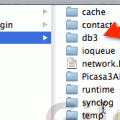
How to Backup Your Picasa Database in Mac OS
Have you spent hours tagging your family and friends with Picasa's face recognition feature? I know I have, with over 20,000 pictures I would...
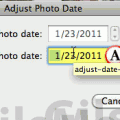
How to Adjust the Date and Time of a Photo in Picasa
Have you ever taken picture with your camera only to find out that the date and time are incorrect? This usually happens when your...
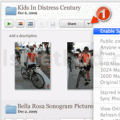
How to Backup Your Picasa Photos Online
Wouldn't it be nice if you could stay at ease knowing that your family's pictures were safe and backed up in Google's servers? That...
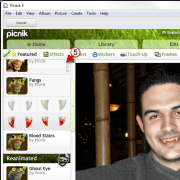
Spook Your Family and Friends this Halloween with Picnik’s New Picture Effects
If you’re in the mood to have some fun with your pictures this Halloween you are going to love the new Halloween Effects, stickers,...
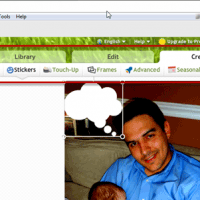
Edit Your Photos in Picnik Using Picasa 3.8
In a recent acquisition, Google bought online photo editing company Picnik. With this acquisition Google has been quickly incorporating Picnik's cool photo editing features in Picasa...

How to Create a Movie Using Faces in Picasa 3.8
One of the newest features introduced in the latest version of Picasa is the ability to create a movie from a face that has...
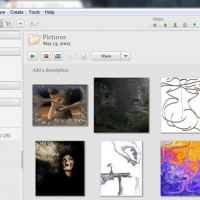
How to Move Your Picasa Database and Use Multiple Databases
I've written about tricking Windows into allowing you to access Picasa databases on other locations, but I recently found an easy to use application...
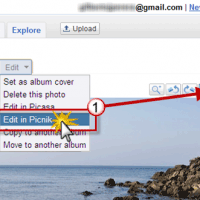
Edit Your Picasa Web Albums Photos with Picnik
If you use Picasa and Picasa Web Albums to share your pictures with family and friends, you are going to love the latest feature...