See More About: , , ,

6 Bing Search Tricks You Probably Didn’t Know Existed

by

In a recent blog post by the Bing team they published a document containing information about Bing’s query language. In it I found a couple of useful query syntaxes that will improve your ability to use Bing for search. I’ve only listed 6 out of 38 parameters and you’ll soon see why I chose these 6. If you know of any other Bing search tricks, please use the comments form below.

1. filetype:
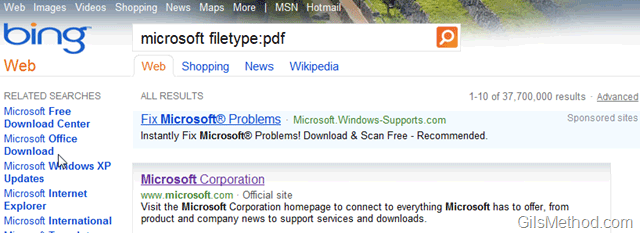
bingsearchtipssitecontains thumb 6 Bing Search Tricks You Probably Didnt Know Existed

When you use the filetype: syntax while performing a Bing search, the search results will be limited to sites that contain the file type you are searching for.

Example - Windows 7 filetype:pdf

2. define

bingsearchtipsdefine thumb 6 Bing Search Tricks You Probably Didnt Know Existed

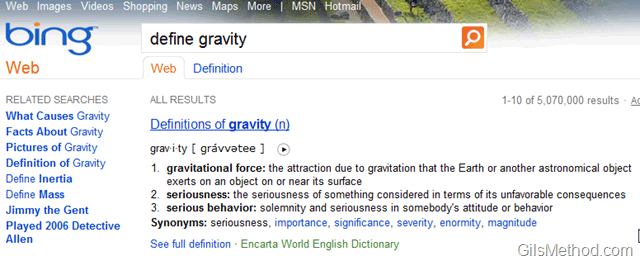
When performing a search enter the word define before the term you wish to find a definition for. You will notice that right below the search box the Results area will list definitions for the term you are looking for.

Example - define gravity

3. domain:

bingsearchtipsdomain thumb 6 Bing Search Tricks You Probably Didnt Know Existed

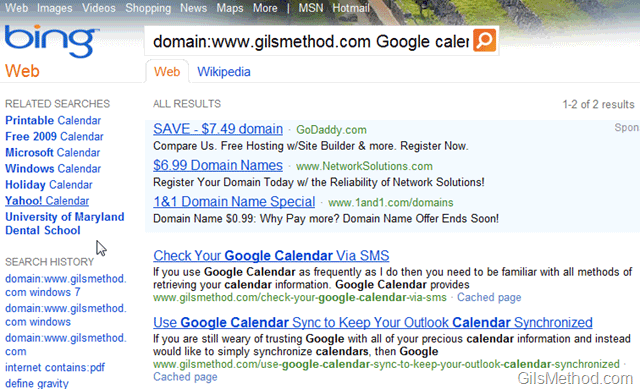
When you use the domain parameter and specify a URL, the search will only be performed on the domain you specified.

Example - domain:www.gilsmethod.com

4. imagesize:
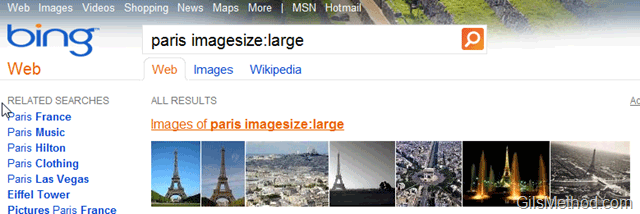
bingsearchtipssiteimagesize thumb 6 Bing Search Tricks You Probably Didnt Know Existed

The imagesize syntax is specific to image search using Bing, you can specify the size of returned images by using the following parameters: Small, Medium, and Large.

Example - paris imagesize:large

5. language:

bingsearchtipssitelanguages thumb 6 Bing Search Tricks You Probably Didnt Know Existed

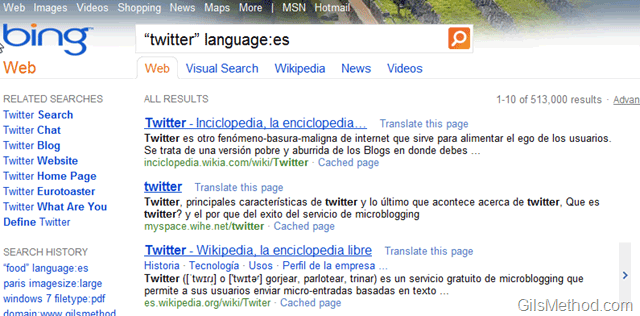
Returns webpages written in a specific language. Specify the language code directly after the language: keyword. For valid language codes, see Bing API Version 2 Documentation.

Example - “twitter” language:es

6. loc:/location:

bingsearchtipssitelocation thumb 6 Bing Search Tricks You Probably Didnt Know Existed

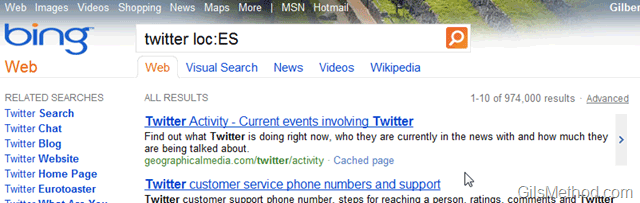
Returns websites from a specific country or region. Specify the country or region code directly after the loc: keyword, see Bing API Version 2 Documentation.

Example – twitter loc:ES

Originally posted Jul 30, 2010

We close comments after 30 days on GilsMethod.com and ask that you post questions and issues on our Answers website.

This helps us better serve you by allowing us to keep track of unanswered questions that are usually hidden in long comment threads.

Answers.GilsMethod.com is a community-powered support website where you will be able to post questions, and other users including us will respond with expert advice.

So if you are having trouble with your PC, Mac, iPad, iPhone, or other piece of technology, head over to Answers.GilsMethod.com and ask away.

  • http://www.sqlsteps.com SQL Training

    I really did not know that there were so many shortcodes that could be used along with Bing Search. Thanks a lot for sharing

  • http://www.sqlsteps.com SQL Training

    I really did not know that there were so many shortcodes that could be used along with Bing Search. Thanks a lot for sharing

  • http://www.sqlsteps.com SQL Training

    I really did not know that there were so many shortcodes that could be used along with Bing Search. Thanks a lot for sharing

  • http://www.sqlsteps.com SQL Training

    I really did not know that there were so many shortcodes that could be used along with Bing Search. Thanks a lot for sharing

  • http://www.gilsmethod.com Gilberto J Perera

    Not a problem, glad you found them useful.

  • http://www.gilsmethod.com Gilberto J Perera

    Not a problem, glad you found them useful.

  • http://www.gilsmethod.com Gilberto J Perera

    Not a problem, glad you found them useful.

  • http://www.gilsmethod.com Gilberto J Perera

    Not a problem, glad you found them useful.