How many times have you gone fishing for your computer’s IP address, MAC address, or even Service Pack version? If you dislike the extra step of opening Network Properties or System Information to locate these items then BGInfo might be the solution for you. BGInfo is a Systernals application available from Microsoft that will overlay the information you select on your desktop’s background (see below).
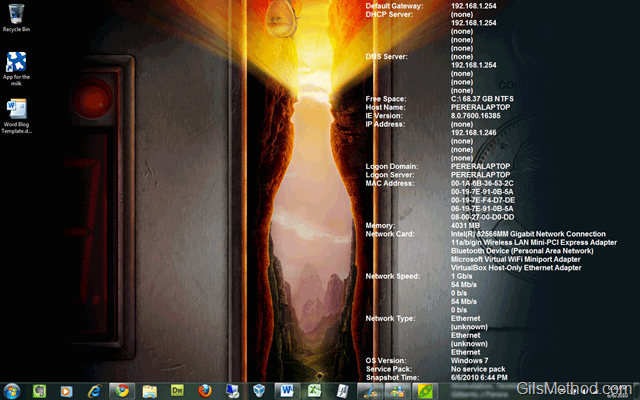
This tools is really handy if you run several virtual machines and/or have several computers on your network. When you access any computer with BGInfo installed, all of the pertinent information will be available at a glance.
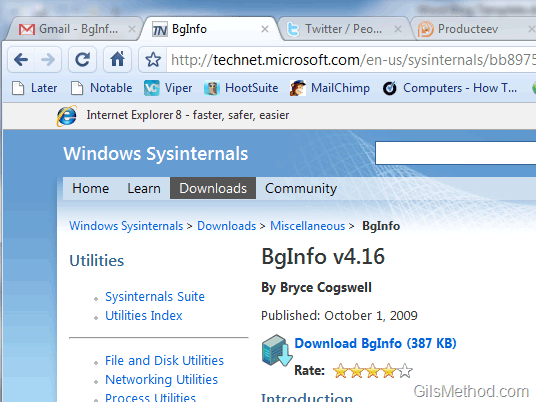
You can download BgInfo v.4.16 free from Microsoft.
To use BgInfo download and install the application. To access the application, follow the instructions below.
If you have any comments or questions, please use the comments form below.
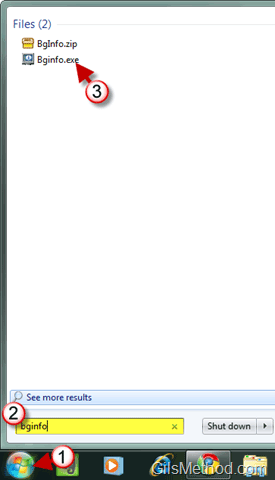
1. Once installed you can find it by opening the Start Menu.
2. Type bginfo in the Search box.
3. Click on Bginfo.exe from the Search Results list.
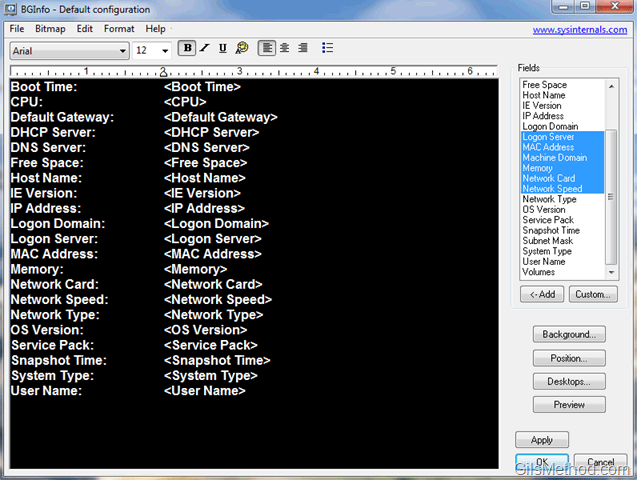
Once the BGInfo window opens you will be able to choose which information is displayed and most importantly you will be able to format said information to your liking using the options described below.
BGInfo can display the following fields:
- Boot Time
- CPU
- Default Gateway
- DHCP Server
- Free Space
- Host Name
- IE Version
- IP Address
- Logon Domain
- Logon Server
- MAC Address
- Machine Domain
- Memory
- Network Card
- Network Speed
- Network Type
- OS Version
- Service Pack
- Snapshot Time
- Subnet Mask
- System Type
- User Name
- Volumes
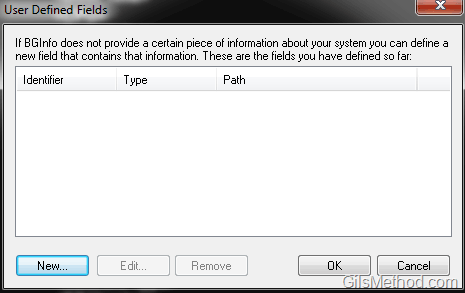
Custom Variables can be displayed by using User Defined Fields (see below).
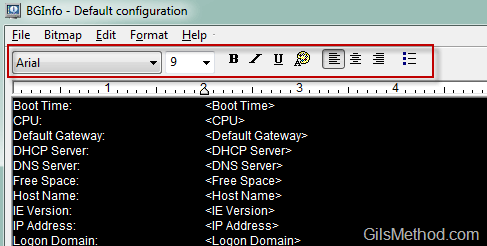
You will also be able to format the text displayed.
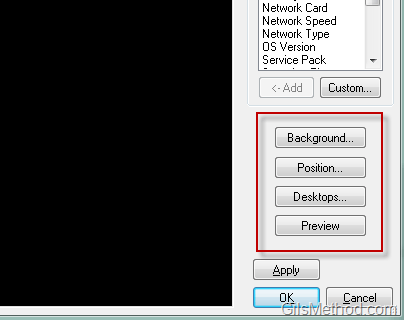
Along with the following attributes:
- The color of the background
- The Position on the screen
- Which Desktops are affected (user, console, etc.)
Know of other great system administration tools? Please post your suggestions below.