
Looking for a way to quickly download your favorite videos from YouTube? DamnVid will allow you to do just that. Once you download and install DamnVid (Mac OS X, Linux, and Windows supported) launch the application and follow the instructions below.
DamnVid will encode the movies you wish to save to your computer as they are downloaded, so there is no need to convert the movies once they are downloaded. DamnVid also supports encoding of files stored on your computer.
Go grab a copy of DamnVid and start downloading your favorite videos.
Looking for other applications to download videos from the web? Check out this post.
Note: I used DamnVid on Windows 7.
DamnVid Overview
The screenshots below will walk you through some of the features and functionality that you will find in DamnVid.
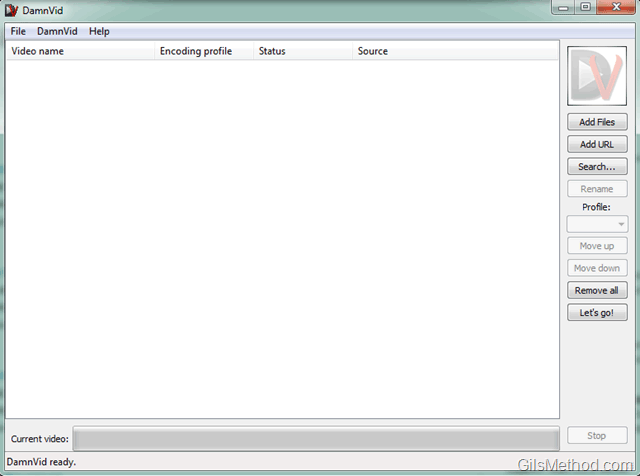
The DamnVid application window.
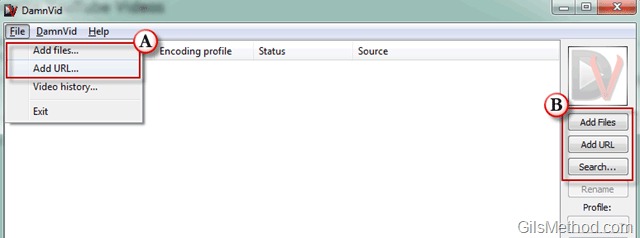
You have two options when adding videos to the download queue in DamnVid.
A. You can use the File menu which provides the following options:
- Add files – This will allow you to add local files to be converted.
- Add URL – This option will allow you to use a URL for a specific video so that DamnVid can download and convert the video.
B. You can use the buttons located in the right pane which provide the following options:
- Add Files – This will allow you to add local files to be converted.
- Add URL – This option will allow you to use a URL for a specific video so that DamnVid can download and convert the video.
- Search – This button will open the Search box which allows you to browse various areas within YouTube and to search for videos in YouTube itself (see below).

The Search for videos… window will allow to browse the following categories in YouTube.
- Most Viewed
- Most Discussed
- Top Rated
- Most Linked
- Most Recent
- Most Popular
- Most Responded
- Recently Featured
- Top Favorites
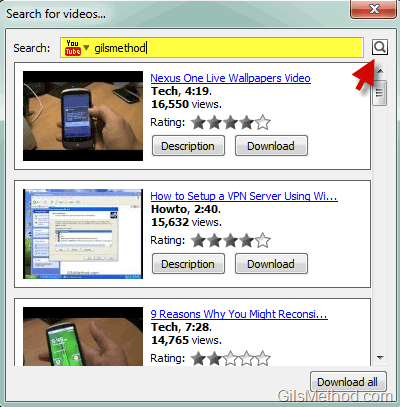
You can also type a search query and list the results for your search.
How to Download Videos with DamnVid
So now that you know some DamnVid basics, let’s get started and download some videos. In this example I will use the built-in Search function to locate videos on YouTube that I have published on the GilsMethod YouTube Channel.
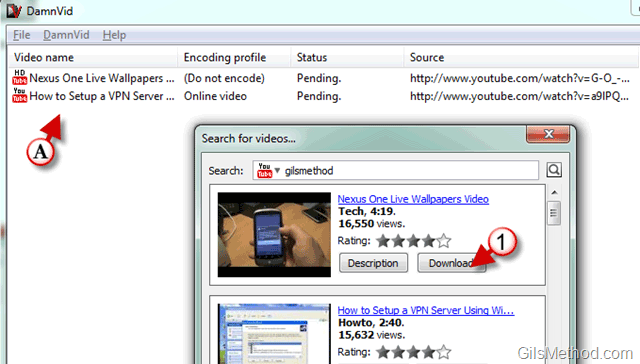
1. Once the video you are interested in is displayed in the DamnVid search results window, simply click on the Download button.
A. DamnVid will add that video to the download queue and will wait for you to choose encoding options.
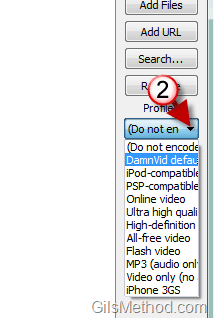
2. Choose a Profile which determines what format the file will encoded to.
Profile Options (Encoding Types)
- Do Not Encode
- DamnVid Default
- iPod Compatible
- PSP Compatible
- Online Video
- Ultra HIgh Quality
- HIgh Definition
- All Free Video
- Flash Video
- MP3 (Audio Only)
- Video Only (No Audio)
- iPhone 3GS
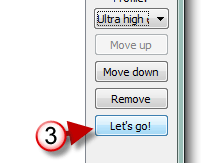
3. When you are ready to download and convert, click on the Let’s go! button.

Downloading and encoding in progress.
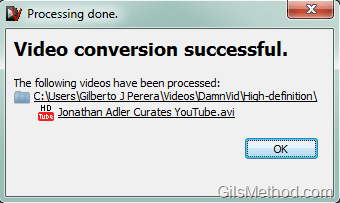
Once completed the file will be stored in the specified location.
Via One Thing Well



