As an iPad enthusiast I was drawn to Samsung’s table at the CES Unveiled event to see how the Tab stacked up against the iPad. After playing with the Tab for a couple of minutes there were three things that really stuck out in comparison to the iPad. The Samsung Tab feels bulky, the screen is OK, and it’s slow.
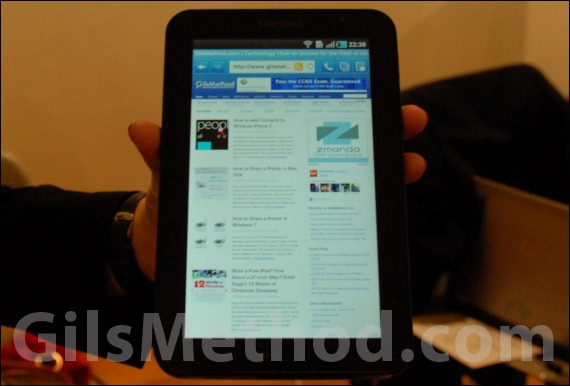
Bulkiness – Although it sports a screen that is 3-inches smaller than the iPad’s, the Samsung Tab feels bulkier. I think this has a lot to do with expectations of depth at different screen sizes and the fact that the iPad’s edges are tapered, which gives users the perception that the iPad is thinner when in fact it’s thicker (by 1.6mm) than the Tab at its thickest point. I do have to concede that the smaller size 7-inch vs. 9.7-inch makes a heck of a difference in terms of portability and the ability to get your hands around the unit.
OK Screen – On paper you would think that the Tab’s higher pixel density would produce stellar results compared to the iPad, but it certainly feels like the screen is mediocre at best. I know Engadget has stated that the screen is great in their hands on, but after playing with Tab and the iPad at the same time, I disagree, but as they say, beauty is in the eye of the beholder.
Speed – This is where I will probably get a lot of flack from Android fans, but the fact is, the Tab’s performance was sluggish. I ran the included task manager thinking I would find a ton of applications running in the background, instead I found only five. Upon closing these applications and launching the browser, the Tab chugged along smoothly. I’ve been running iOS4.2 on my iPad and can say that I have yet to see performance issues related to running multiple apps. As with most Android powered devices, effective application management will determine the experience you will get on the device.
Despite these negative, the Samsung Tab is a great tablet for buyers seeking an iPad alternative. If you are looking for a complete review of the Tab, check out the Engadget review.