How to Correct Barrel Distortion in Photoshop

Correct lense distortion

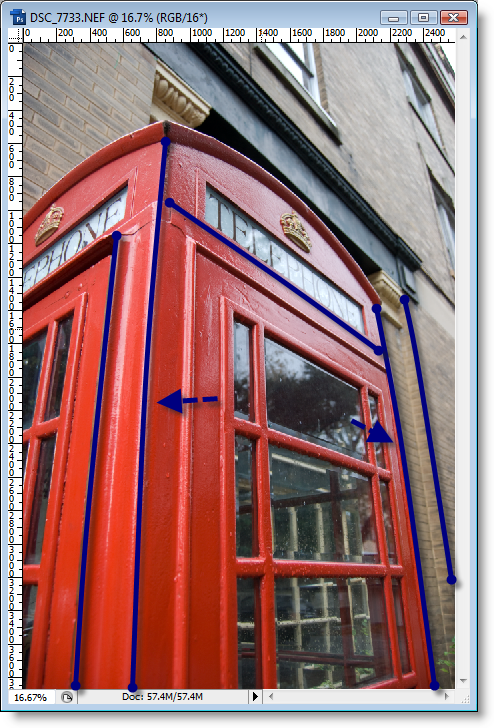
Have you ever taken an amazing picture only to realize that you were a victim of barrel distortion? Don’t panic just yet. For those of you who don’t know what barrel distortion is, think about it this way, when taking a picture with a wide angle lens or on the wide end of a zoom lens, barrel distortion, an optical effect, causes your images to appear bloated. This optical effect is most noticeable when there are straight lines in your picture. There are ways to correct distortion and this article will go over just that. If you have any questions or comments, feel free to post them below.
Correct lense distortion

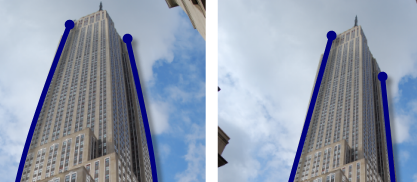
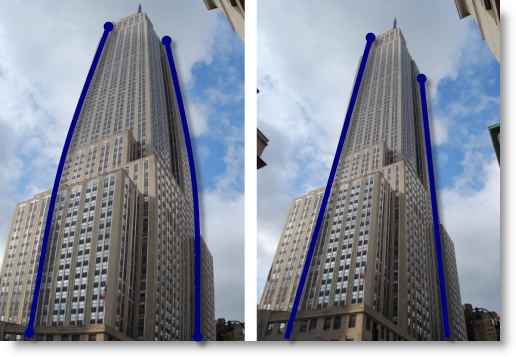
The pictures above demonstrate the effect of barrel distortion (distortion exaggerated to show effect)

Note: I used Photoshop CS3 to make these adjustments
Correct lense distortion

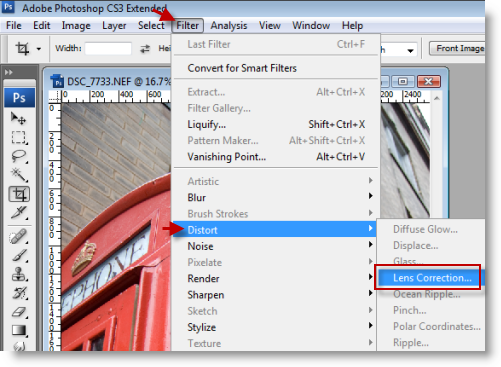
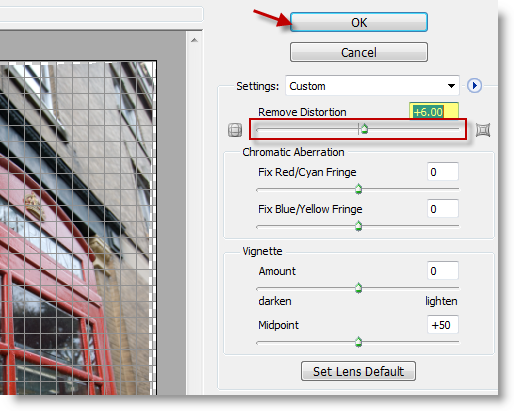
1.Open the image to correct and click on Filter > Distort > Lens Correction…
Correct lense distortion

2. You can remove distortion by adjusting the the Remove Distortion slider from left to right. In this particular case an adjustment of +6 was sufficient to correct the distortion, you may have to play around with the setting until you get the results you want. Click OK to accept the changes.
Correct lense distortion

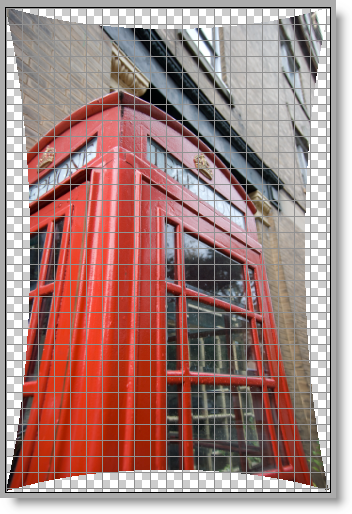
Moving the slider to the left (negative values) caused the photograph to pinch.


Correct lense distortion

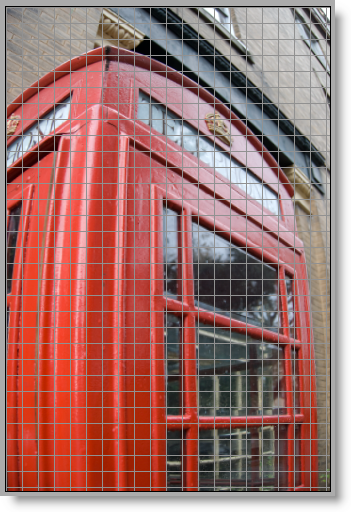
Moving the slider to the right (positive values) causes the photograph to balloon.
Correct lense distortion

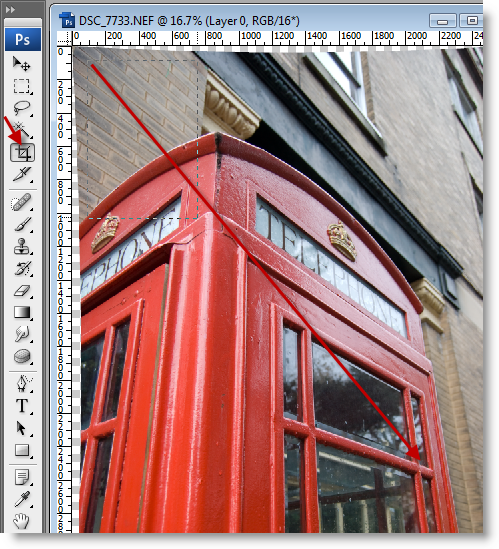
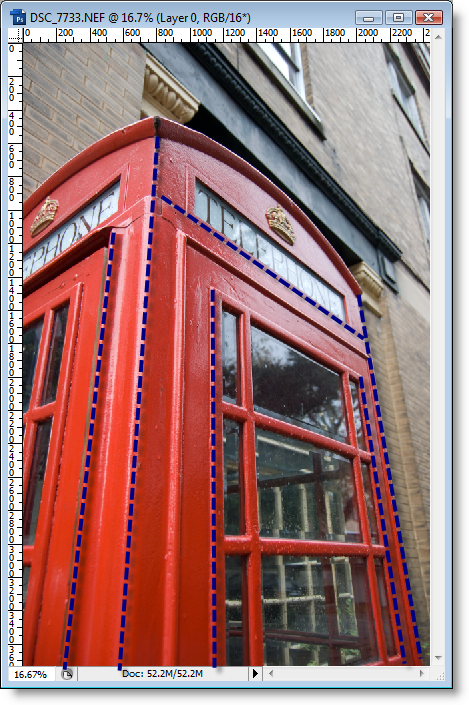
3. Once you’ve corrected the image, you might need to crop it, so select the Crop tool and crop the image.
Correct lense distortion

Photograph after correction

Correct lense distortion

Photograph before correction


Article posted on 03 8th, 2009

Related & Suggested Posts

  1. 9 Basic Fixes to Jazz Up Your Pictures in Picasa
  2. How to Create Photo Greeting Cards with Photoshop Elements
  3. How to Resize Pictures the Easy Way
  4. How to Create the Web 2.0 Effect for Logos and Text
  5. How to Create Movie Presentations and Slideshows in Picasa


Leave a Comment

Note: I discourage users from using keywords in their names when posting comments, most of those are caught as spam and end up being deleted. It would be more productive and interactive if commentators use the name they go by rather than using an unrelated name. In the future I reserve the right to delete comments from users using a name other than their own.

Connect with Gil via
Connect with Gil
Facebook | Twitter | Digg | SU | LinkedIn
Who's behind Gil's Method?
My Name is Gilberto J Perera and I'm the editor behind Gil's Method. I started this blog to help relatives with computer questions. Since then the blog has grown to the collection of articles you see today, I hope that you find this blog useful and that you come back again.
Read more at my about page
Other Resources

Books (Coming Soon)

Forum (Coming Soon)

Store (Coming Soon)