
See More About: , , ,

How to Create Subprocesses from a Selection in Visio 2010

by

If you have ever worked on a Six Sigma project you know that the most important step is the documentation of the entire process in question. At times this can be a time consuming and if you’re not careful can become a sort of controlled chaos of process maps upon process maps. In Visio 2010, Microsoft has made it easier to work with large process maps within a Visio file. Users can now create Sub-processes by simply selecting and designating process steps as such. The how-to below will show you how quick and simple this new feature is.

If you have any comments or questions, feel free to join the community and ask questions.

Note: I used Visio 2010 Beta in this tutorial.

The following assumes you already have a process map to work with.
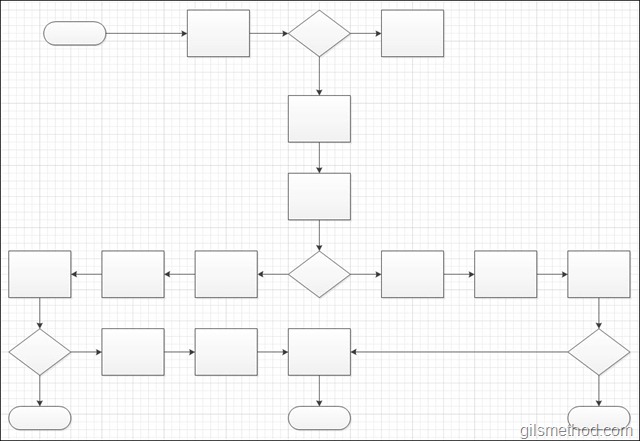
createasubprocessfromaselectioninvisio2010 thumb How to Create Subprocesses from a Selection in Visio 2010

A somewhat cluttered process map.

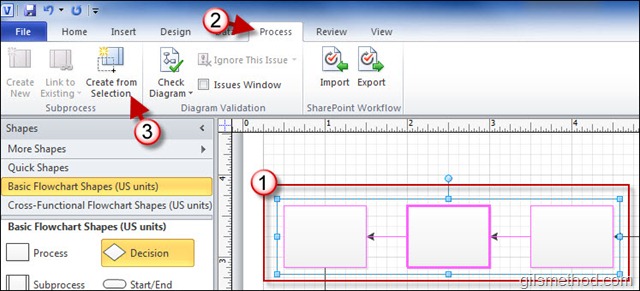
1. Select the process you wish to include as a sub-process.
createasubprocessfromaselectioninvisio2010a thumb How to Create Subprocesses from a Selection in Visio 2010

2. Click on the Process tab in the Office Ribbon.

3. Click on Create From Selection in the Subprocess group.

You will notice that the process steps you selected will be come one subprocess shape. You will also notice that new sheet was added to the Visio file.
createasubprocessfromaselectioninvisio2010c thumb How to Create Subprocesses from a Selection in Visio 2010

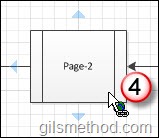
4. To open the subprocess, hold down the Control [Ctrl] key on your keyboard while clicking on the process.
createasubprocessfromaselectioninvisio2010b thumb How to Create Subprocesses from a Selection in Visio 2010

createasubprocessfromaselectioninvisio2010d thumb How to Create Subprocesses from a Selection in Visio 2010

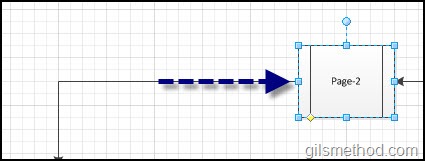
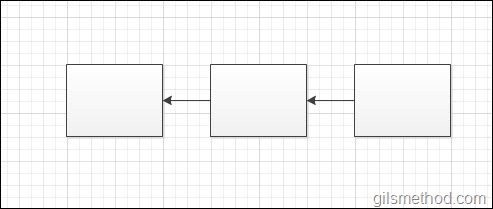
The newly created page will open containing the process steps you included as a subprocess.
createasubprocessfromaselectioninvisio2010e thumb How to Create Subprocesses from a Selection in Visio 2010

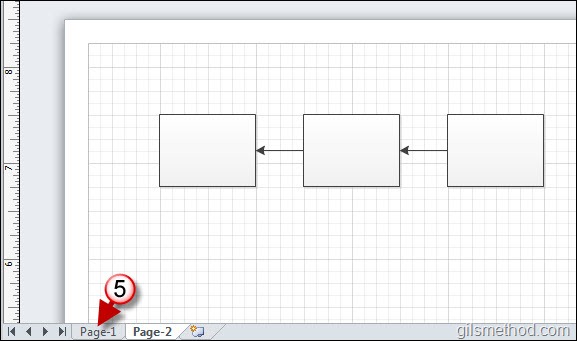
5. To return to the main process page, simply click on the appropriate page tab at the bottom of the screen.

createasubprocessfromaselectioninvisio2010f thumb How to Create Subprocesses from a Selection in Visio 2010

The entire process map and the subprocess should appear.

See More About: , , ,
Originally posted Apr 09, 2010

We close comments after 30 days on GilsMethod.com and ask that you post questions and issues on our Answers website.

This helps us better serve you by allowing us to keep track of unanswered questions that are usually hidden in long comment threads.

Answers.GilsMethod.com is a community-powered support website where you will be able to post questions, and other users including us will respond with expert advice.

So if you are having trouble with your PC, Mac, iPad, iPhone, or other piece of technology, head over to Answers.GilsMethod.com and ask away.

  • Laphonso

    Hallo, i can not find the process tab. I am using Visio 2010 Professional. Is it a feature of Visio 2010 Premium?

    Thanks..

    • http://www.gilsmethod.com Gilberto J Perera

      Yes. It’s only available in Visio 2010 Premium.

    • http://www.gilsmethod.com Gilberto J Perera

      Yes. It’s only available in Visio 2010 Premium.

    • http://www.gilsmethod.com Gilberto J Perera

      Yes. It’s only available in Visio 2010 Premium.
