When you open Microsoft Word, Excel, or PowerPoint in Microsoft Office 2011 you see a gallery of templates.
However the number of templates available to you isn’t limited to those stored on your Mac, you have access to thousands of templates online and they are just a click away.
Software/Hardware used: Office 2011 running on Mac OS 10.6.
The templates in this gallery are included with the standard install of Office.
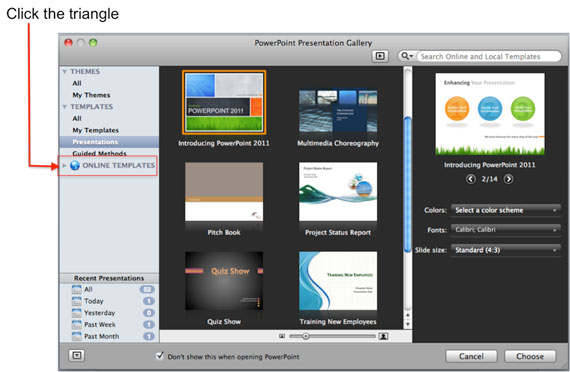
To see thousands more free templates, all you have to do is click the little triangle next to the blue globe labeled ONLINE TEMPLATES.
Clicking the triangle populates the Gallery with the thousands of free templates from the Microsoft Office web site.
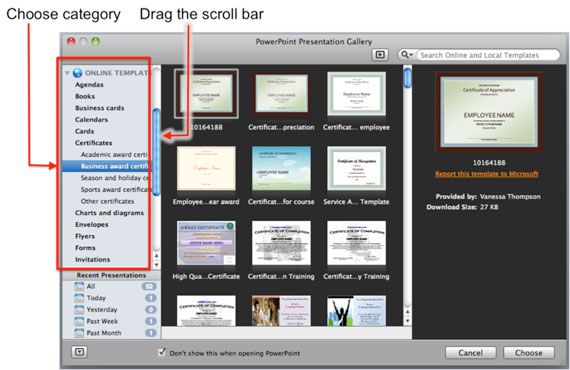
Choose a Category, keep in mind that categories have subcategories to make it easier to navigate.
Use the scroll bars to navigate the list of available templates and choose the one you would like to use to create a new document using the selected template.
If you have any comments or questions please use the comments form below.
Jim Gordon is a Mac MVP for Microsoft and author of Office 2011 for Mac All-in-One For Dummies. You can check out his book on Amazon.