

The ability to view a website’s source code is built-in most modern web browsers. The source code allows you to view how the website was coded, in other words put together, it also gives you a glimpse of certain data that would not be available to you by just browsing the website. You can view things like a website’s Meta Tags, which contain important information like keywords, author email, and other useful information, and you can see what services the website publisher uses.
So why should you care about other website’s meta tags, services, etc? Well I’ll give you my example, as a publisher I’m constantly on the lookout for new things to provide my readers on my website, whether it’s enhancements, design, or other features. When I visit a website that has something which I would like to implement on my site, I normally take a look under the hood (the source code) to see what the publisher is doing or using that I could implement on my site. I see it as a way to discover "best practices" among web publishers and designers. The guide below will demonstrate where this option resides in 3 popular browsers; Internet Explorer, Firefox, and Opera. If you have any comments or questions, please post them below.
Note: I used Internet Explorer 7, Firefox 3.04, and Opera 9.62 for this tutorial.
-Internet Explorer
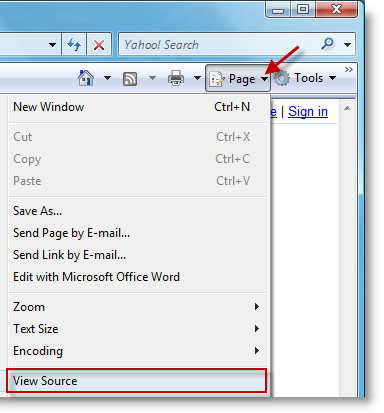
1. Click on the Page > View Source (located to the right)
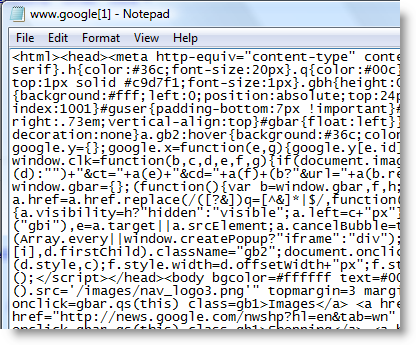
2. Notepad will open with unformatted code
-Mozilla Firefox
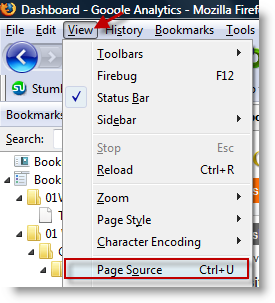
1. Click on View > Page Source or keyboard shortcut (Ctrl + U)
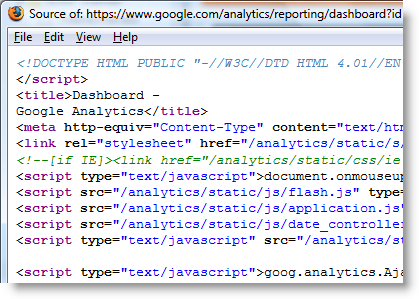
2. A separate Firefox window will open with the formatted/color coded source code
-Opera
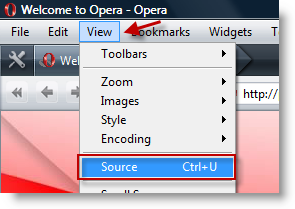
1. Click on View > Source or keyboard shortcut (Ctrl + U)

2. A new tab will open with the formatted/color coded source code.
The Verdict
So which browser is best for displaying source code? Well Firefox and Opera are tied, they both display the source code formatted and color coded, whereas Internet Explorer opens notepad and dumps the code unformatted. In the end it all depends on your preference.


