

One of the most annoying aspects of shooting RAW is MS Windows inability to display RAW images natively. I came across the media section in one of my favorite books that describes how RAW support can be added to Windows Explorer and Picture Viewer. The article below shows you how to find and install the codecs necessary to accomplish this.
I own a Nikon DSLR so I have written this article for Nikon owners, however if you are a Canon, Sony, Olympus, or Pentax owner scroll to the bottom of the page so that you can find the appropriate link to the codec specific to your manufacturer. If you have any comments or questions, please post them below.
Note: The Nikon Codec currently supports Windows Vista SP1 32bit and Windows XP. Some of these codecs will work for XP, make sure to read the codecs requirements before installing.
The Nikon codec will not work on Windows Vista 64 bit, trust me I tried it, I had to install in one of my Virtual 32 bit Vista installations for it to work.
NIKON Codec Download and Installation
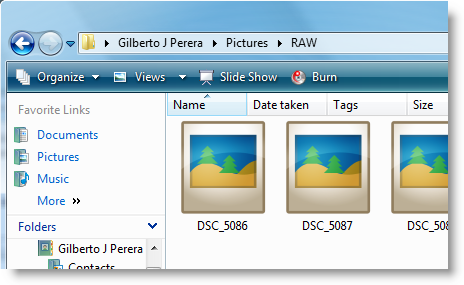
Screenshot above is how RAW images are displayed in Windows Vista (before codec installation)

1. Go to the Nikon website (follow this link) and click on the I agree – Begin Download button to download the codec
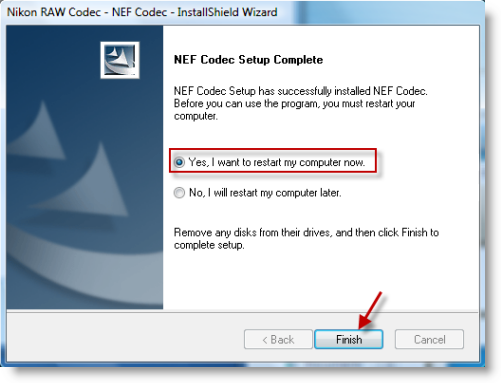
2. Before proceeding make sure to restart your computer after installation.
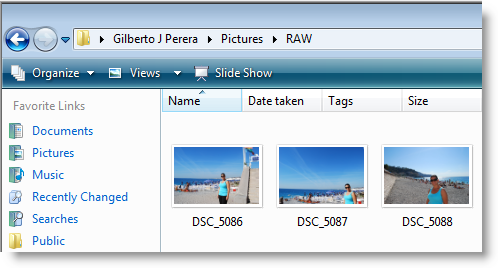
3. After your computer reboots browse to the directory that contains the RAW images, when you open the window you should be able to view the RAW files as thumbnails, you can also double-click to open the RAW files in Vista’s Photo Viewer.
Codec Downloads for (almost) All Camera Manufacturers
To download codecs for the camera manufacturers follow the links below.
- Nikon NEF format – Website
- Canon CR2 format – Website
- Olympus ORF format – Website
- Pentax PEF format – Website
- Sony SRF format – Website
Article source Windows Vista Annoyances: Tips, Secrets, and Hacks




