
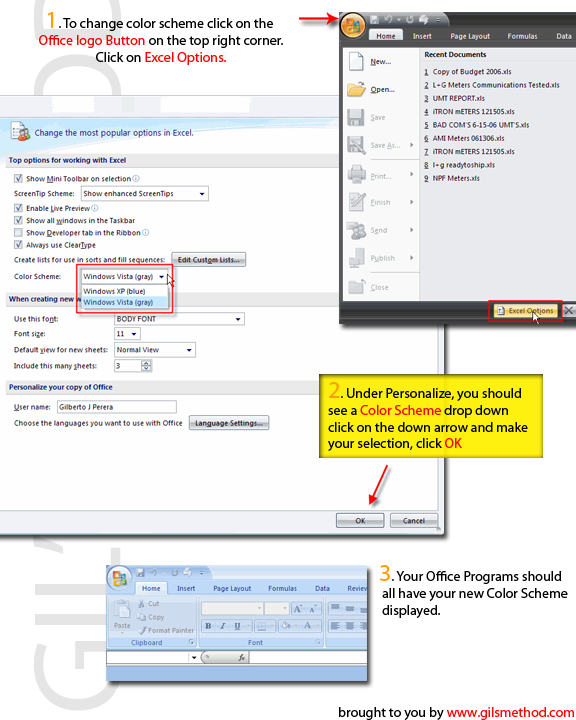
 Microsoft’s new Office iteration allows you to customize it like never before. For those of you who use Windows XP. Office 2007 defaults to the blue color scheme which resembles that of Windows XP. You can however make it look like Windows Vista Theme by applying the Vista color scheme. If you’re like me and you’re still feeling your way through Office 2007, this will help you find that little feature. Follow the steps below to change the default color scheme for Office 2007 Beta 2.
Note: This applies to Office 2007 Beta 2
1. Click on the Office Logo on the top right corner.
2. Select Options (in my case I had Excel open, so it would be [open program] Options)
3. A window will open with various options. Make sure Personalize is selected from the column on the left.
4. Next to Color Scheme you will find a drop down, select from your two choices; Windows XP (blue), Windows Vista (gray).
5. Click Ok…you’re done!


