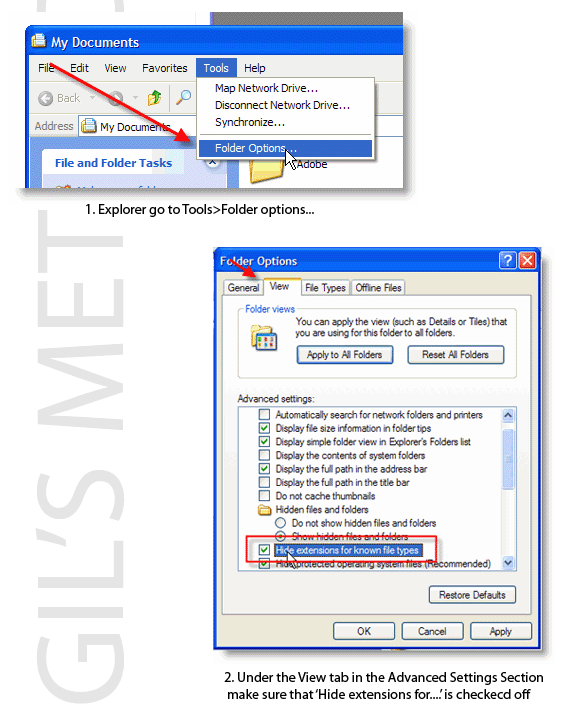
This little guide will show you how-to disable/enable the file extension on any file from being displayed. This is useful when you rename files and you sometimes forget to include the file extension and you recieve an error…hope this helps! Follow this link to view the screenshots.


Article posted on 02 24th, 2006

Related & Suggested Posts

  1. How to Display File Extensions in Vista
  2. How to Disable and Enable Thumbnails in Vista
  3. How to Enable File Sharing in Virtual PC
  4. Disable and Enable Hibernation in Windows 7
  5. How to Disable the Windows XP Welcome Screen