
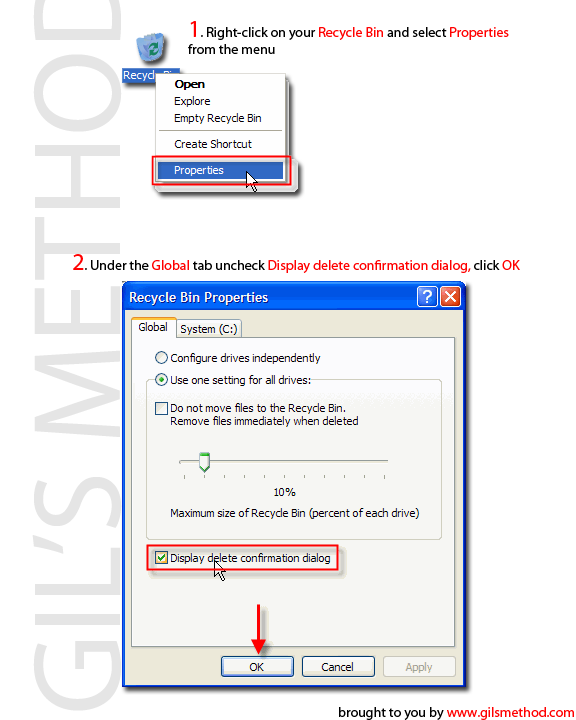
 I am constantly deleting old files that I no longer use or need, but find myself always having to click twice to delete the file. If the delete confirmation box is an annoyance to you as it is to me then this little how-to will demonstrate how to disable it. Remember if you delete something by mistake just look for it in the recycle bin. Save some time when deleting files by following these easy steps.
1. Right-click Recycle Bin and select Properties from the drop down menu
2. Under the Global tab uncheck where it says Display delete confirmation dialog
3. Click OK, you will never have to confirm a deletion again!


