
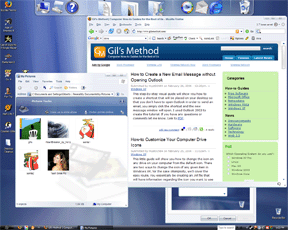
5 Obscure Picasa Tricks

Gil's Method is a computer How-to website dedicated to provide users with easy to follow instructions, tips, and a place for users to interact and share with one another.

Use the Windows Vista Theme on your Windows XP Machine


I found this awesome theme on digg.com, I have installed it on my machine and it works great. The advantage of this theme pack is that it does not require a third-party program, it modifies adds to the existing set of themes on your machine. The theme is absolutely gorgeous, you don't sacrifice any resources because it's just like having another built-inWindows XP theme selected. If you chose to install the Y'z Shadow, and the other adds those do take up resources, but no more than 25 MB of RAM.
Download it - http://en.crystalxp.net/bricopack.php

Your rating: None

What Make you Theme Special?

Some people are waiting for the time to buy a new PC, some are not upgrading because their hardware isn't up to it, and some well.....just don't want to. Well there's nothing wrong with wanting to stick with XP for a while, but maybe you would like to change the "look" of XP to more of a Vista "style".

The interest in making Windows XP look like Vista has been going on for a while, but I get asked to this day what are the best ways to change the desktop to look more like Vista. Some want just the visual style changed, and some want the entire look and feel of their desktop changed to reflect Vista.......

Try Vistamiser Now><<<><<

uninstalling the theme....

Hi,

I am trying to uninstall the theme from my machine to appease the IT staff at my place of work and cannot find any way to do so. there is nothing under the control panel>add or remove programs. i am getting concerned because i do not know of any other way to remove this theme than through the control panel or the crystalxp.net control panel. for some reason i cannot find the shortcut to the crystalxp control panel which supplies a button for removing the shell pack. i have had no trouble with the theme myself, but am uninstalling it to show the IT staff (hopefully) that the problem i am having is not with the them but something else. can anyone help me with this please?!?! i am getting worried! Thank you!

ehren

Fully UnInstallable?

Hi, Is this skin fully uninstallable? I tried changing to a Mac OS look-a-like skin and it totally screwed up my system when I tried to uninstall it?? Thanks!

The download link is broken!!

Hi Dude,
Its in fact a great info.
but the download link http://en.crystalxp.net/bricopack.php
found broken.
This is the new link: http://www.crystalxp.net/dl/en.gal.130.htm
Plz update the same in your blog.
Cheers,
skvnet.blogspot.com

Very cool

Just set it all up and I really love it. No need to switch to Vista now.

not true,

although windows has fixed many problems with vista, that doesnt make Windows XP bad, many people are quite comfertable with it (like myself) but many people also prefer a different look than the "bliss" background with the toy-like blue icons, it just gets old. seeing how XP Blue has been out for at least 5 years now. And with the exciting new look of Vista on XP, many people will be quite satisfied, as they are happy with XP, but unhappy of the old look.

what?

No need to switch to Vista? Wow... I guess all the changes to its core OS are not as important as a few icons? The priorities some people have...

Although the Theme is good;

Although the Theme is good; it is not that great when browsing networks because the main side bar is missing in Network explorer it is missing options; such as See entire network etc that you could really use.

it's got limitations...

but you have to admin it is nice...

-Gil

Post new comment

The content of this field is kept private and will not be shown publicly.
  • Web page addresses and e-mail addresses turn into links automatically.
  • Allowed HTML tags: <a> <em> <strong> <cite> <code> <ul> <ol> <li> <dl> <dt> <dd>
  • Lines and paragraphs break automatically.

More information about formatting options

CAPTCHA
This question is for testing whether you are a human visitor and to prevent automated spam submissions.
3 + 6 =
Solve this simple math problem and enter the result. E.g. for 1+3, enter 4.
