
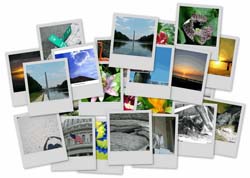
 I’ve been using Picassa for a while now and find that every time I use Picassa I run into a feature I didn’t know it had. With Picassa you have the capability of creating picture collages from the pictures you have stored in your computer. There are several types of collages that you can create;
Picture Pile – Places all of the pictures you selected in a pile one on top another, really neat effect.
Picture Grid – Creates a grid of your pictures on one sheet.
Contact Sheet – Similar to the grid, but pictures have spaces between each other. This one is great if you would like to print your pictures for presentation.
Multi Exposure – This one is really neat, all pictures are blended with each other, creates really nice effects if you chose the right pictures.
Below you will find the steps necessary to create your own picture collage. As always comments/suggestions are welcome.
1. Download and install Picassa.
2. Select the pictures that wish to make a collage out of.
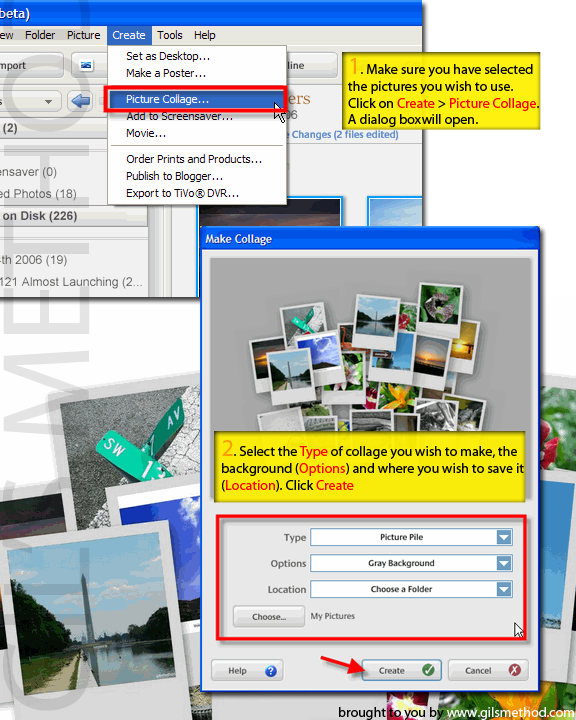
3. With the pictures selected click on Create > Picture Collage…
4. A dialog box will open with several options;
*Type: Select the collage type you wish to create
*Options: Allows you to select which color background you would like to use, you can also set a picture as the background
*Location: Where you would like the output stored.
5. After you have made your selections, click Create


