Next time you’re standing in line or at Doctor’s office for an appointment you will thank me for bringing this excellent App to your attention. Stumbleupon’s new mobile apps, specifically the iPhone app (what I’m using) allows users to discover new sites, pictures, videos on YouTube, and much more with a push of a button. Users of the app can narrow down their stumbles by categories just like you would using a browser. You can also check out your friends profiles, send links via StumbleUpon, Twitter, Facebook, or email, and you can “thumb up†or “thumb down†pages as you view them.
Check out the screenshots below to familiarize yourself with this really cool app. If you have any comments or questions please use the comments form at the end of the article.
Note: I used an iPhone 4 running iOS4 for this guide. You can also download this app for Android and iPad devices.

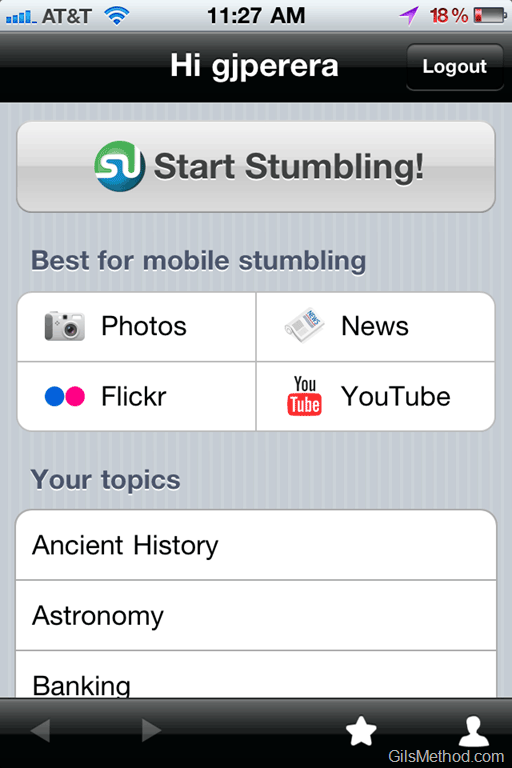
When open the App for the first time you must either sign up for new account or use an existing StumbleUpon account.
One you are logged in you can start Stumbling by tapping on the Start Stumbling button or you can you Stumble specific categories by choosing a Topic from the available list. They have also provided a Best for mobile stumbling section which lists Photo’s, News, Flickr, and YouTube.


If you’ve been using SU for a while you probably have a hefty list of friends and people you follow. You will be able to view your friends from within the app as well as visit their profiles. In the screenshot to the right I’m viewing my profile with a list of my Favorites.


When you tap on the Stumble button a random website will appear and you will have the option to “thumb Upâ€, “thumb downâ€, continue Stumbling, share the link, and read the reviews.
When you click on the Comments/Reviews button you will be able to see information about the site, who has liked it, and the reviews.
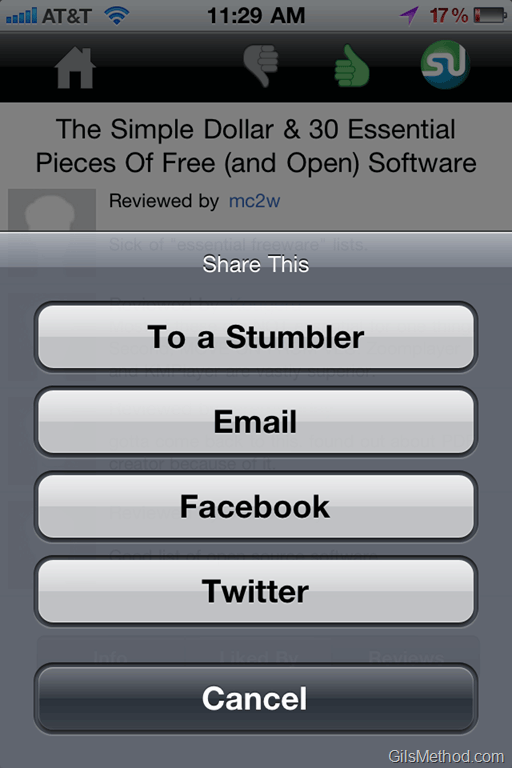

The screenshot to the left shows you how the options when you tap on the Share This button. You can share with other Stumblers, Email the link, post on Facebook, or post on Twitter.
Overall the app is pretty fast, easy to use, and allows you to discover new stuff on the web. Did I mention it’s free?
Download StumbleUpon for the iPhone.