
Before the age of the Internet, parent’s concern about children involved making sure that, they were safe from injury, bullies, and strangers. Although they are still valid concerns in today’s connected age, other matters merit attention as well. As parents, we want to make sure that we do not expose children to explicit sexual content, profanity, pornography, and hate content. Unfortunately, the Internet is too large to contain and there are too many holes to plug. That is why this post and other related posts that will follow will be included in a series I am kicking off today titled, Protect Children Online. My goal is to write a post every week to help parents and adults protect children from the darker corners of the Internet at home, school, and other places where children may have access to the Internet.
I am kicking off the series with the guide below that will show you how to lock SafeSearch with Google. If you have any comments or questions please use the comments form at the end of the article.
What is SafeSearch?
Use Google’s SafeSearch filter if you don’t want to see sites that contain pornography, explicit sexual content, profanity, and other types of hate content in your Google search results. While no filter is 100 percent accurate, SafeSearch checks a website’s keywords and phrases, URLs, and Open Directory categories to determine and filter out inappropriate sites.
SafeSearch Lock takes this a step further and allows users with Google accounts to enable and lock SafeSearch so that other users cannot change Google search filters. This method will not guarantee that kids wont be able to access inappropriate content because they can use another browser or computer, but our goal here is to plug one hole at a time to make sure that our kids remain safe.
Lock SafeSearch Tips
- If you have more than one browser on your computer, you need to set the lock on each one individually.
- If your computer has more than one user profile (for example, a family computer), you need to set the lock on each appropriate profile.
- Make sure your browser is set to allow cookies.
How to Lock Google SafeSearch

1. In the Google Search home page click on the Settings link on the top-right corner of the screen.
2. Click on Search Settings from the list.
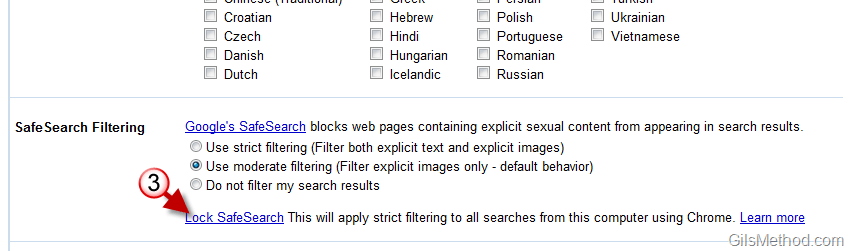
3. Click on the Lock SafeSearch link in the SafeSearch Filtering section.
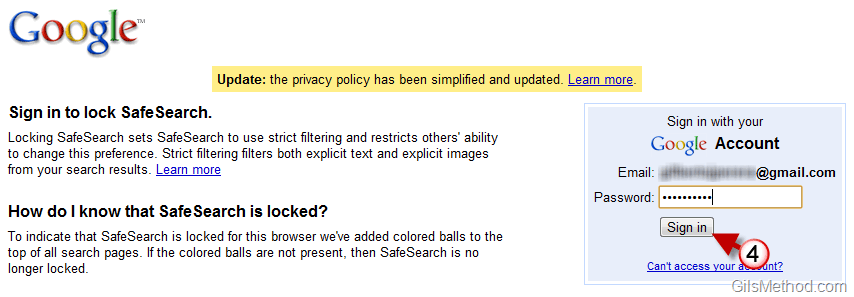
4. Sign-in to the Google Account you wish to use to control SafeSearch Settings.
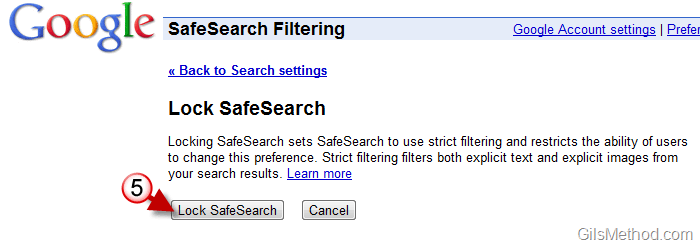
5. When the SafeSearch Filtering page loads click on the Lock SafeSearch button.
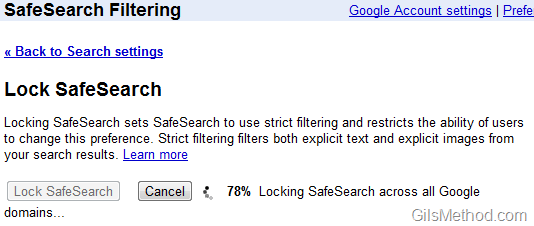
Locking SafeSearch across all Google domains…
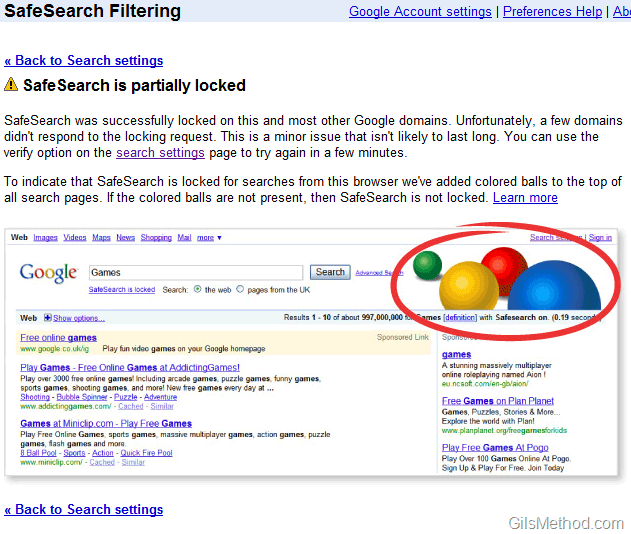
When completed you should see a message stating that SafeSearch is locked across all domains.
Note: In the screenshot above it says that SafeSearch was partially blocked. I to lock it again, but found the same error. I’m not sure what the issue is, but based on the message it looks like it is something Google is working on.
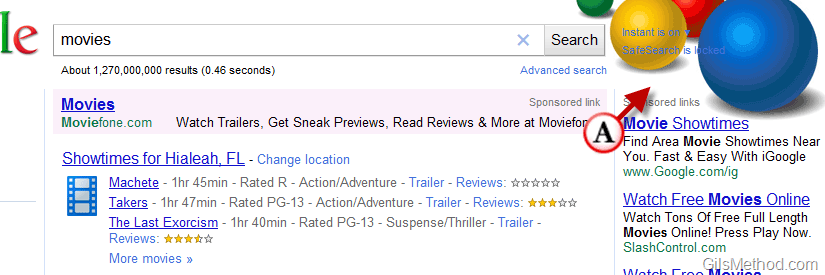
Next time you search for something using Google you will notice that on top of all search pages Google has added colored balls. This helps adults identify the use of Google SafeSearch in environments like schools, libraries and other places where computers are accessible by children.
How to Unlock Google SafeSearch
Before proceeding with the following steps make sure you repeat steps one and two in the previous section.
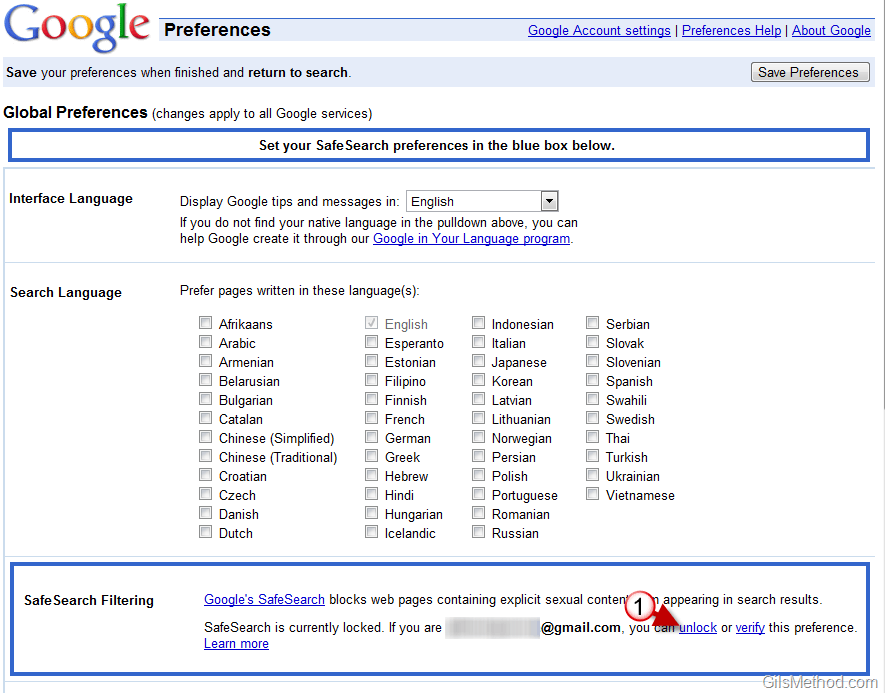
1. When the Search Preferences page loads, click on the Unlock link.

2. Sign-in to the Google account you used to Lock SafeSearch.

3. When the SafeSearch Filtering page opens click on the Unlock SafeSearch button.
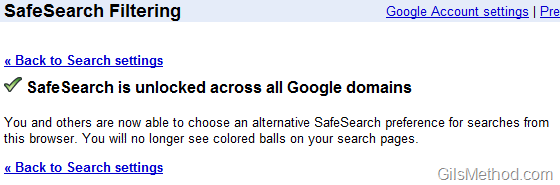
SafeSearch is unlocked across all Google domains. You can double-check the status of SafeSearch by searching with Google.



