I was able to get my hands on a copy of the Office 2010 technical preview. I was so excited about the features and the new look that I decided to post some videos of the technical preview. These first couple of videos are just peeks of the new interface and some features as I become more familiar with new features and functionality I’ll be posting those up on the web site, so make sure you subscribe to the feed or via email subscriptions to get the latest.
Note: The technical preview is not in any way the final product, with that said there are features that may or may not make it to the final release. Future builds may also include features not included in this build. Check back often as I will be posting more videos, how-to’s, on the latest builds.
What’s Included
The Technical Preview Includes the Office Plus suite and other Office applications, each listed below.
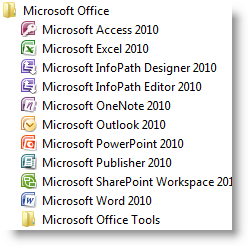
Microsoft Office Plus (the suite)
- Access – sneak peek video
- Excel – sneak peek video
- Word – sneak peek video
- PowerPoint – sneak peek video
- InfoPath – video coming soon
- InfoPath Editor – video coming soon
- SharePoint – video coming soon
- Outlook -video coming soon
- SharePoint Workspace – video coming soon
Other Office Applications
- Project -video coming soon
- Visio – video coming soon
- SharePoint Designer – video coming soon
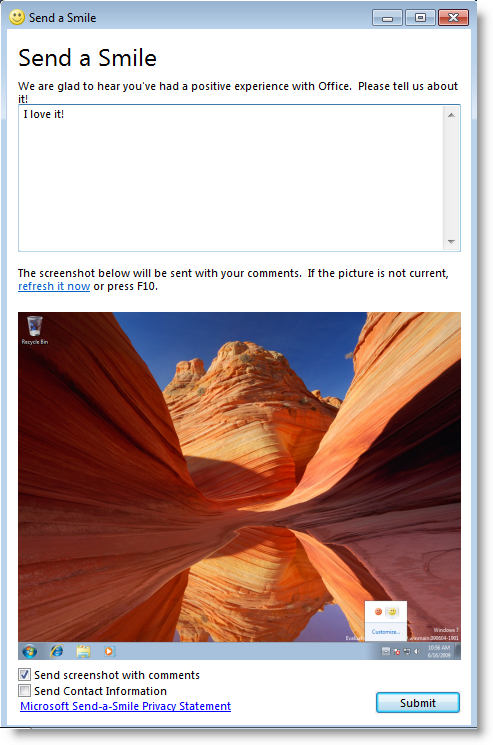
Happy Faces Help the Feedback System
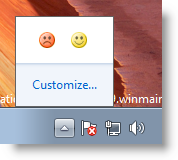
Microsoft is using a smile and frown feedback system which allows testers to send back feedback on their experience with the software, you can send feedback with or without a screen shot or your email
Space requirements
The install files are approximately 680MB, but the full installation requires about 2.14GB
Installation experience
As you can see from the video the install was seamless (I did cut out about 20+ minutes of the same progress screen, hence the 2+minute video). The Full installation of the suite took approximately 26 minutes, quite fast considering the amount of programs installed (10) and that the installation ran on a virtual machine using Windows 7 (build 7229).
Check back often, I will be adding more screen shots and videos soon.