
If you’re like me and you’ve got computers all over your house, then Remote Desktop is probably your best friend. If you have ever tried to burn a CD/DVD or decrypt a DVD you may find that you will receive an error each time the application tries to access the DVD. You can confirm this by trying to play the DVD from the remote computer. I recently ran into this problem as I was trying to convert a movie library to a format that I can stream throughout the house using my Windows Home Server. I was fortunate enough to find a solution to this problem in AV Forums and thought that it would be a good idea to share the solution with others using the “how-to guides for the rest of us approach.
If you have any comments or questions please use the comments form below.
Note: I used Windows 7 Ultimate for this guide.
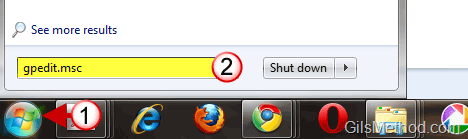
1. Click on the Windows Orb to open the Start Menu.
2. Enter gpedit.msc into the search box and hit the [Enter] key on your keyboard. This will open the Local Group Policy Editor.
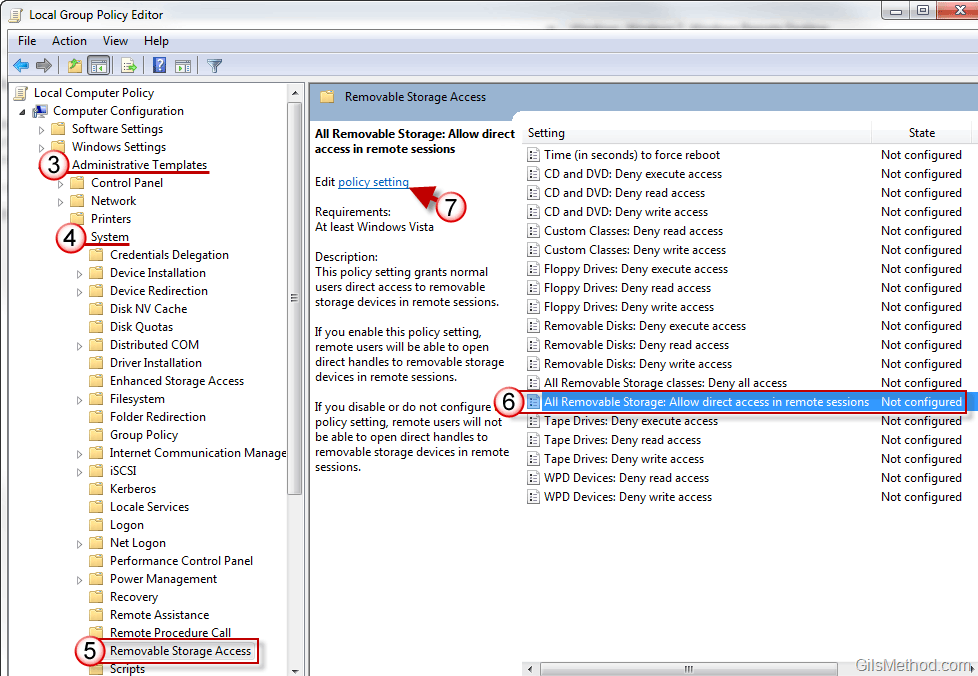
3. When the Local Group Policy Editor window opens, click to expand Administrative Templates.
4. Click to expand System.
5. Scroll down the list and click on Removable Storage Access.
6. On the pane to the right, click on the All Removable Storage: Allow direct access in remote sessions setting.
7. Click on the Edit Policy link.
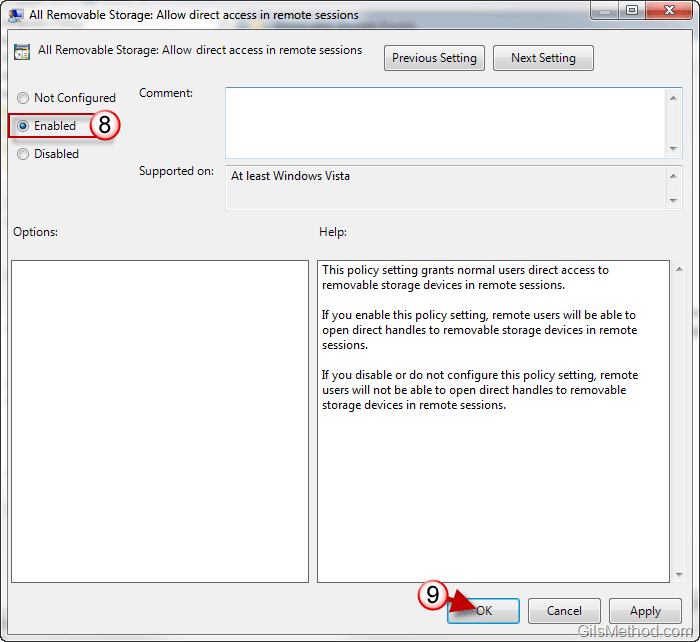
8. When the window opens, click on Enable.
9. Click OK to save the settings. Close the Local Group Policy Editor window when you are done.
You should now be able to burn, copy, and decrypt DVD’s and CD’s remotely.



