How to Create Subprocesses from a Selection in Visio 2010

by Apr 09, 2010

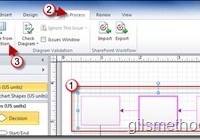
If you have ever worked on a Six Sigma project you know that the most important step is the documentation of the entire process in question. At times this can be a time consuming and if you’re not careful can become a sort of controlled chaos of process maps upon process maps. In Visio 2010,…Continue Reading

Trim Videos Within PowerPoint 2010 and Keep Your Audiences Focused

by Mar 10, 2010

How many times have you found a great scene from a video online that you wanted to show an audience in PowerPoint? Of those times how many of those desired scenes were located halfway between the video? Unless you know how to edit videos you probably sat your audience through 5 minutes of meaningless footage…Continue Reading

Create a Webcast with PowerPoint 2010

by Feb 25, 2010

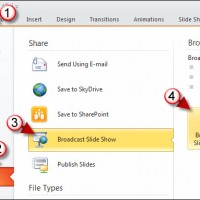
The other day I was working on a presentation in PowerPoint 2010 beta (which you can download for free from Microsoft) and found a Broadcast Slide Show button tucked away in the Share options under the File menu. I clicked on Broadcast Slide Show and found that PowerPoint now allows you to broadcast to the…Continue Reading

Force Outlook 2010 to Download All Messages and Attachments with IMAP

by Feb 24, 2010

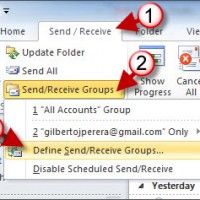
The other day I decided to give Microsoft another try and ran Outlook 2010 which was already installed with the Office 2010 beta (which you can download for free from Microsoft). One of the things that quickly caught my eye was the default use of conversations for emails something I have always enjoyed while using…Continue Reading

Let Excel Speak to You and Save Time

by Feb 03, 2010

If you’re like me and you’re not that great with the number pad on a standard keyboard, Excel’s ability to speak what you type as you enter it can make the difference between a couple of minutes in front of a spreadsheet or hours. The Speak Cells command will enable Excel to dictate the information…Continue Reading

How to Find and Replace Cell Formats in Excel

by Feb 01, 2010

One of Excel’s most powerful formatting tools is the Find and Replace command. Find and replace allows users to specify elements to locate in a spreadsheet. You can use this powerful command to locate a formula you wish to update, a set of values that have changed, and the formatting applied to cells. In this…Continue Reading

Save Time by Customizing the Office Quick Access Toolbar

by Jan 31, 2010

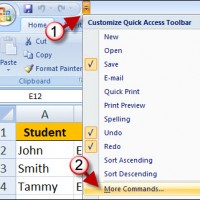
One of my favorite and frequently used toolbars is the Quick Access Toolbar located above the Office Ribbon. By default the toolbar has shortcuts for the Save, Undo, and Redo commands, fortunately Microsoft likes to make our lives easier and allowed users to customize this easy to access toolbar. The how-to below will walk you…Continue Reading

Use Rules to Validate Data Entry in Excel 2007

by Jan 28, 2010

Data entry rules in Excel give users more control over the type of data that can be entered into cells in spreadsheets. We discussed how to use lists in a previous how-to, in this example we’ll show you how to specify the data type that can be entered and the different options available to you….Continue Reading

Group and Ungroup Rows and Columns in Excel

by Jan 27, 2010

Outlining and grouping rows or columns in Excel makes it easy to organize and declutter spreadsheets that have a ton of data on display. Say you have several rows with the sales figures by month and the last row is a summation of the data, rather than display all months you can group the data…Continue Reading

Use Comments in Excel to Document Your Work

by Jan 27, 2010

Commenting in Excel allows you to keep annotations and references on specific cells. Comments are generated by the user as described in the tutorial below or when the Excel spreadsheet is set to Track Changes (future article). Comments appear only when you create and edit them or when you toggle their display using the Show…Continue Reading

Use AutoFill and Save Time Entering Data in Excel

by Jan 25, 2010

As a frequent user of Excel I find that one of the most useful features is AutoFill. When preparing spreadsheets for presentations or when your organizing data to keep a sense of sanity, AutoFill will simplify that task. AutoFill will ensure data integrity and will maintain order when data series require it. In the example…Continue Reading

How to Display Multiple Excel Windows in the Taskbar

by Jan 07, 2010

I often work with multiple Excel windows at any given time and I have found that I work best with Excel when all open windows are displayed on the Windows Taskbar (see screenshot below for illustration). The default setting for this feature groups all Excel windows (or workbooks) into one Taskbar button. This can be…Continue Reading

Use Google Calendar Sync to Keep Your Outlook Calendar Synchronized

by Jul 15, 2009

If you are still weary of trusting Google with all of your precious calendar information and instead would like to simply synchronize calendars, then Google Calendar Sync is the right tool for you. When installed and enabled Google’s Calendar Sync application quietly sits in your computers notification area and seamlessly synchronizes all of your Outlook…Continue Reading