How to Customize Outlook 2010 Panes

Aug 24, 2010 View Comments by Gilberto J Perera

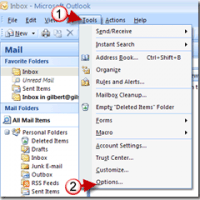
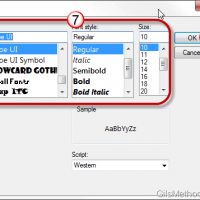
Does the default font size and style used throughout Outlook’s program interface bug you because it’s too small or the font isn’t your favorite? Have you ever wanted to change the font size used for Outlook’s folders? If you’ve ever found yourself wanting to change how text looked in Outlook 2010, you’ve come to the [...]

How-to, Office 2010, Outlook 2010 Read more

Tip: Find Unsaved Contacts in Outlook 2010

Aug 16, 2010 View Comments by Gilberto J Perera

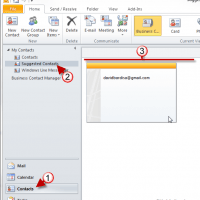
How many times have you gone searching for the email address of someone you emailed months or weeks ago? If you happen to use Outlook 2010 to manage your emails you will be happy to find out that all of the email addresses you have ever used while composing messages are saved by Outlook. Better [...]

How-to, Tips Read more

How to Save Attachments in Outlook 2010

Jul 22, 2010 View Comments by Gilberto J Perera

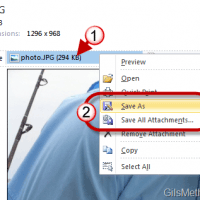
Attachments come in many file types and sizes, luckily the act of saving them to your computer for later use is quite simple. Due to the number of messages that I have received regarding this task, I’ve decided to create a short guide that will walk users through the process of saving documents, images, and [...]

How-to, Office 2010, Outlook 2010 Read more

Feature: 3 Easy Steps To Declutter Your Inbox in Outlook 2010

Jun 17, 2010 View Comments by Gilberto J Perera

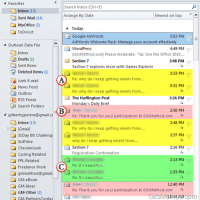
Don’t you hate it when you open your inbox every morning and find that you still have the same hundred messages you had yesterday plus 30 more? Don’t worry you are not the only one. Microsoft has done a pretty good job of ensuring that we stay productive in the latest version of Outlook. In [...]

Featured, How-to, Office 2010, Outlook 2010 Read more

Tip: Use the Office 2010 Screenshot Tool to Quickly Capture Your Screen

Jun 14, 2010 View Comments by Gilberto J Perera

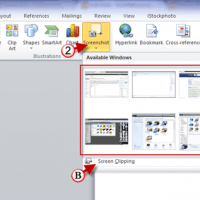
Are you looking for a way to quickly insert screenshots from your computer into a Word document? In Word 2010 the Screenshot tool has been improved so that is more intuitive and easier to use. The guide below will show you how to use the Screenshot tool in Office 2010 to quickly insert screenshots into [...]

Excel 2010, How-to, Office 2010, Outlook 2010, PowerPoint 2010, Word 2010 Read more

How to Send Text Messages with Outlook 2010

May 26, 2010 View Comments by Gilberto J Perera

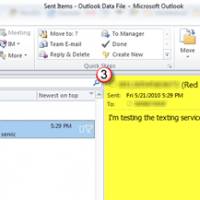
Wouldn’t it be nice to your next text message without having to leave your computer? In Outlook 2010 and 2007, users have the ability to setup an SMS account that allows you to send and receive text messages using Outlook’s familiar email interface. Before you can send a text message you have to create an [...]

How-to, Office 2010, Outlook 2010 Read more

Feature: Ultimate Guide to Editing Your Email Signatures

May 21, 2010 View Comments by Gilberto J Perera

Are you looking to personalize your email signatures to match your style? Good. In this feature I will show you where to locate the email signature settings for almost any email client out there. The list of clients covered will be listed below, simply click on the link and you will be taken to the [...]

Featured, How-to, Outlook 2010, Tips Read more

Tip: Add PST Files to Outlook 2010

May 17, 2010 View Comments by Gilberto J Perera

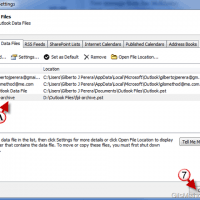
I recently quit my job and among the things I took with me was a copy of the Outlook archive file I created to save important messages. The archive file was saved as a .pst file which is commonly used by Outlook to save messages, calendar entries, to-do’s, and other items. When I copied the [...]

How-to, Office 2010, Outlook 2010, Tips Read more

Change When Emails Are Considered Read in Outlook 2010

May 11, 2010 View Comments by Gilberto J Perera

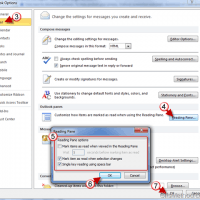
How many times have you set an email to “Read” status when clicking on the message by mistake? I know I have and it can be extremely annoying, specially if you were not ready to review the message that was marked as “Read”. To keep yourself from inadvertently setting messages to the “Read” status you [...]

How-to, Office 2010, Outlook 2010 Read more

How to Customize Your Work Hours in Outlook 2010

Apr 23, 2010 View Comments by Gilberto J Perera

If you use Outlook 2010 to manage your time, you have to make sure that you customize it to your work schedule. Outlook 2010 allows you to designate what your work schedule is (time and days), what day you consider to be the first day of the week, and which day is the first of [...]

How-to, Office 2010, Outlook 2010 Read more