Run Your Favorite Open-Source OS with Free VirtualBoxes

by Nov 04, 2010

If you are looking for a way to run virtually any open-source operating system and you use VirtualBox, VirtualBoxes.org will become and indispensable resource. Whenever you are in the mood to try out a new OS you can forget about having to go through installation menus, configurations, and all the headaches associated with installing a…Continue Reading

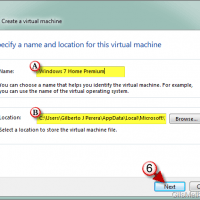
How to Create a Virtual Machine with Windows Virtual PC

Jun 11, 2010 No Comments

If you’re not a fan of Virtual Box and want to become familiar with the easy to use interface in Windows Virtual PC, you’ve come to the right place. In this article along with others I will walk you through the basics of using Windows Virtual PC to create an manage virtual machines on your…Continue Reading

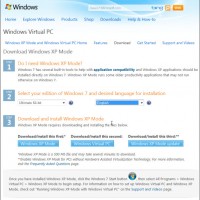
How to Enable XP Mode in Windows 7

Mar 30, 2010 5 Comments

Are you running into trouble with incompatible applications in Windows 7? If you’re reading this chances are that you have already tried all of the comparability tools available in Windows 7 and are still looking for a solution. Windows 7 allows Enterprise, Ultimate, and Professional users to run Windows XP mode. Windows XP mode is…Continue Reading

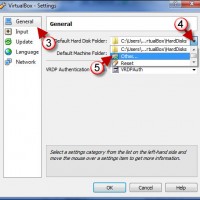
How to Edit the Default Virtual Machine Directories in VirtualBox

Mar 17, 2010 1 Comment

Do you use VirtualBox in more than one computer? Wouldn’t it be nice if you could share all of your virtual machines between your notebook and desktop? A couple of changes to default directories in VirtualBox will allow you to do just that. VirtualBox allows users to customize the default storage locations for virtual machines…Continue Reading

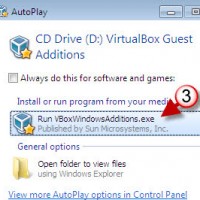
How to Install Guest Additions in VirtualBox

Feb 08, 2010 2 Comments

Now that you have VirtualBox installed and you created your first virtual machine it’s time to use of some great tools that make the management of virtual machines painless and easy. VirtualBox includes a set tools named Guest Additions. These tools provide additional functionality to the interaction between the host machine and the guest/virtual machine….Continue Reading

How to Create a New Virtual Machine in VirtualBox

Feb 06, 2010 9 Comments

As I stated in my previous post, I had to create a Windows 7 virtual machine so that I can write a series of articles while I’m out of town this weekend. As I was creating the virtual machine in VirtualBox I realized that this would be a good tutorial to publish on this blog…Continue Reading

Add a CD/DVD Image to a VirtualBox Machine

Feb 05, 2010 2 Comments

I’m away from my Windows 7 desktop this weekend and I promised myself I would write several Windows 7 how-to’s, unfortunately I’ve been dreading the upgrade process on my laptop so I’m going to end up using VirtualBox to run Windows 7 so I can write these articles. I’ve already prepared the how-to on setting…Continue Reading

How to Install Virtual Machine Additions Using Virtual PC 2007

Oct 31, 2008 63 Comments

Virtual Machine Additions allow you to extend the capability of Microsoft’s Virtual PC software (capabilities listed at the end of the article), however installing these additions can be a little confusing so I decided to post the instructions to install the Virtual Machine Additions for reference. If you have any comments or questions, please post…Continue Reading