
If you have UIF files and don’t know what to do with them or don’t want to pay the $40 or so that MagicISO costs, then I have a solution for you. I wrote an article a couple of months back detailing how to convert UIF files with MagicISO, however as others pointed out, unless you pay for MagicISO you are limited to working with files that are 300MB or less. Fortunately one of my readers pointed out that there is a free tool that allows you to convert UIF files quickly…so I decided to write a how-to detailing the conversion process in hopes of saving you some time.
If you have any comments please post them below or if you have any questions visit our forums.
Note: Make sure you have enough space for the converted file in the destination directory. I used Windows 7 Ultimate in this tutorial.
Convert UIF to ISO
Download UIF2ISO from Softpedia.
Once you have downloaded and extracted UIF2ISO to a known location proceed with the steps below.
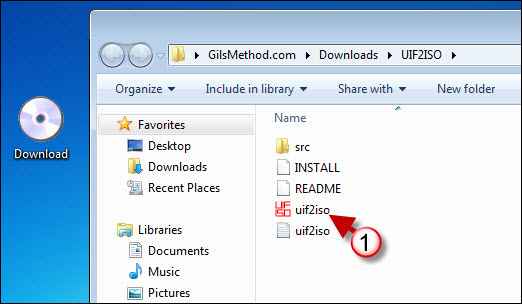
1. Locate and double-click on uif2iso.exe
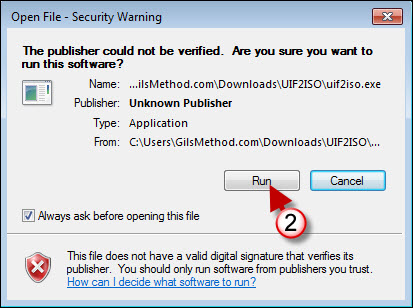
2. Depending on the operating system you are running and the level of security, you may see the warning above. Click Run to proceed.
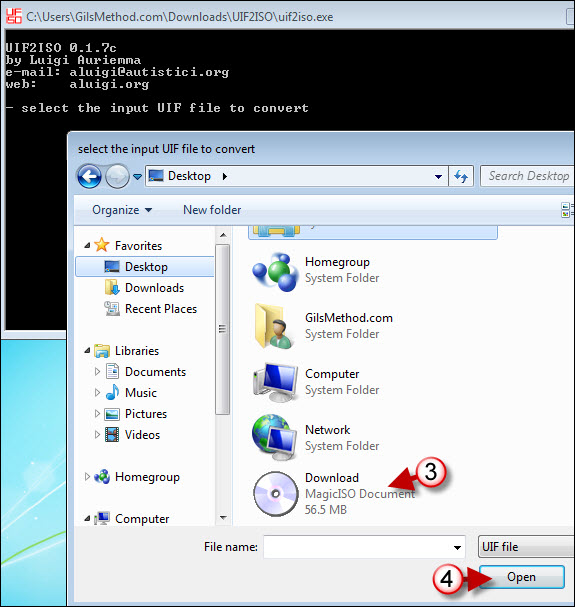
The program will open the Command Prompt window and shortly after a dialog box will open asking you for the location of the UIF file you wish to convert.
3. Select the file you wish to convert.
4. Click Open.

The program will then open a second dialog box prompting you to name the soon to be converted file.
5. Type a name in the File name text box.
6. Click Save to proceed.
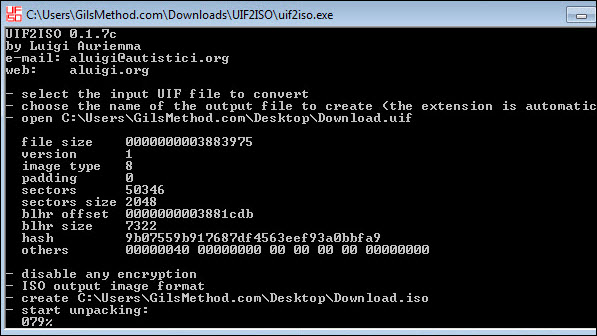
The dialog boxes will disappear and the Command Prompt will become the active window. Notice that at the bottom of all the text there is a status percentage, this indicates the status of the conversion.
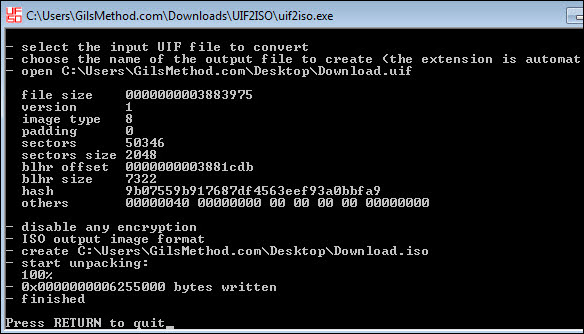
Once the conversion is completed you will be prompted to hit Return/Enter to exit the Command Prompt window.
If you have another UIF to convert simply repeat the steps above.
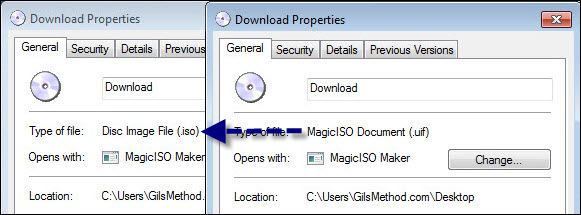
Screenshot of the File Properties for the UIF file and the newly created ISO.
Note: I have MagicISO installed hence the CD/DVD icons for the UIF and ISO images.
If you would like to mount or burn your newly created ISO, I suggest you check out Gizmo.



