
I’ve written about tricking Windows into allowing you to access Picasa databases on other locations, but I recently found an easy to use application the allows you to not only use databases stored in other locations, but also the ability to use multiple databases for different sets of pictures. The guide below will show you how to use the application as well as provide you with some tips.
This application solves the following Picasa shortcomings:
- The database with pictures can’t be shared among different users (not on the same computer, not in a network).
- You cannot choose where to put the database (eg. putting them on a network drive or NAS would be practical).
- You can only use/have one database per user, choosing between multiple databases is not possible.
If you have any comments or questions please post them in the comments section below.
Download links can be found at the end of the article.
Note: I used Picasa 3.6 and Picasa Starter 1.4.4 running on Windows 7 Ultimate.
Think of Picasa Starter as a launch application for Picasa. If you wish to take advantage of the features provided by this application you will need to launch Picasa Starter to launch Picasa.
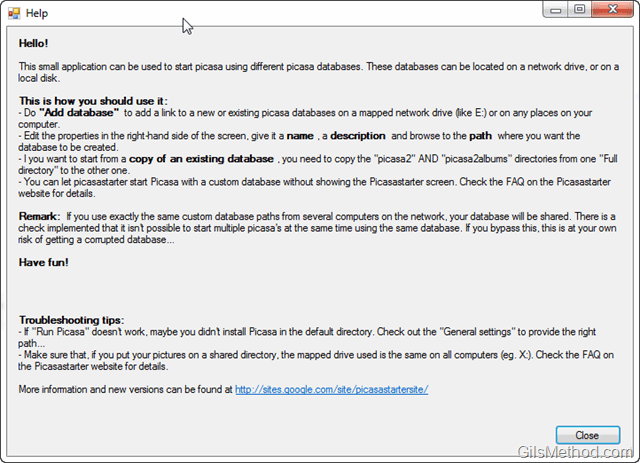
Welcome/Help Screen when you launch the application for the first time.
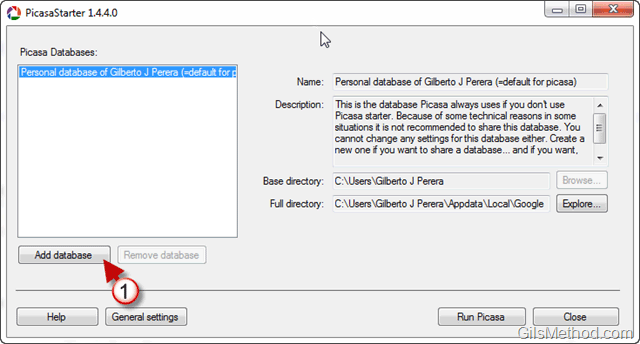
1. Click on the Add Database button.
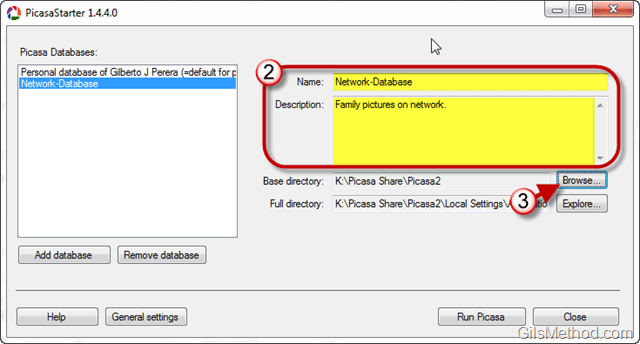
2. Enter a Name and Description for the new database you are adding.
3. Click on the Browse button.

4. Select the location of the shared database or new location for the Picasa database and click OK.
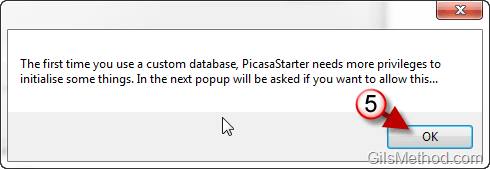
5. When you save the settings you may encounter a User Account Control prompt to allow the application to save some changes. You will only have to do this once, simply click OK.
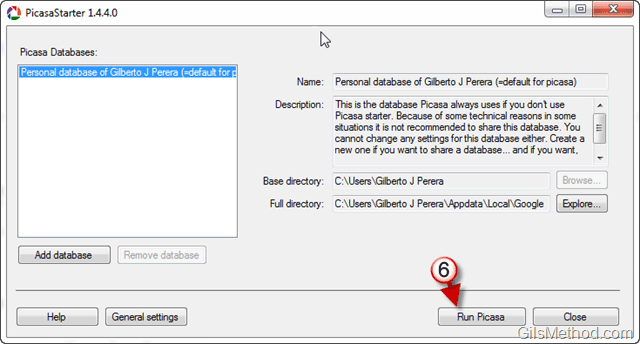
6. Click on Run Picasa to open the selected database.
Note: You will need to use this application to start Picasa from now on. It is the only way you will be able to select more than one database.

Picasa should open the selected database.
The best way to use Picasa with Picasa Starter is to replace your Picasa shortcuts with Picasa Starter. If you don’t know how to create or modify shortcuts, check out the following guide.
How to Create and Customize Shortcuts in Windows 7
If you have any comments or questions, please post them below.
Download Links
Download Picasa Starter
Download .NET 2.0 if it’s not installed.



